

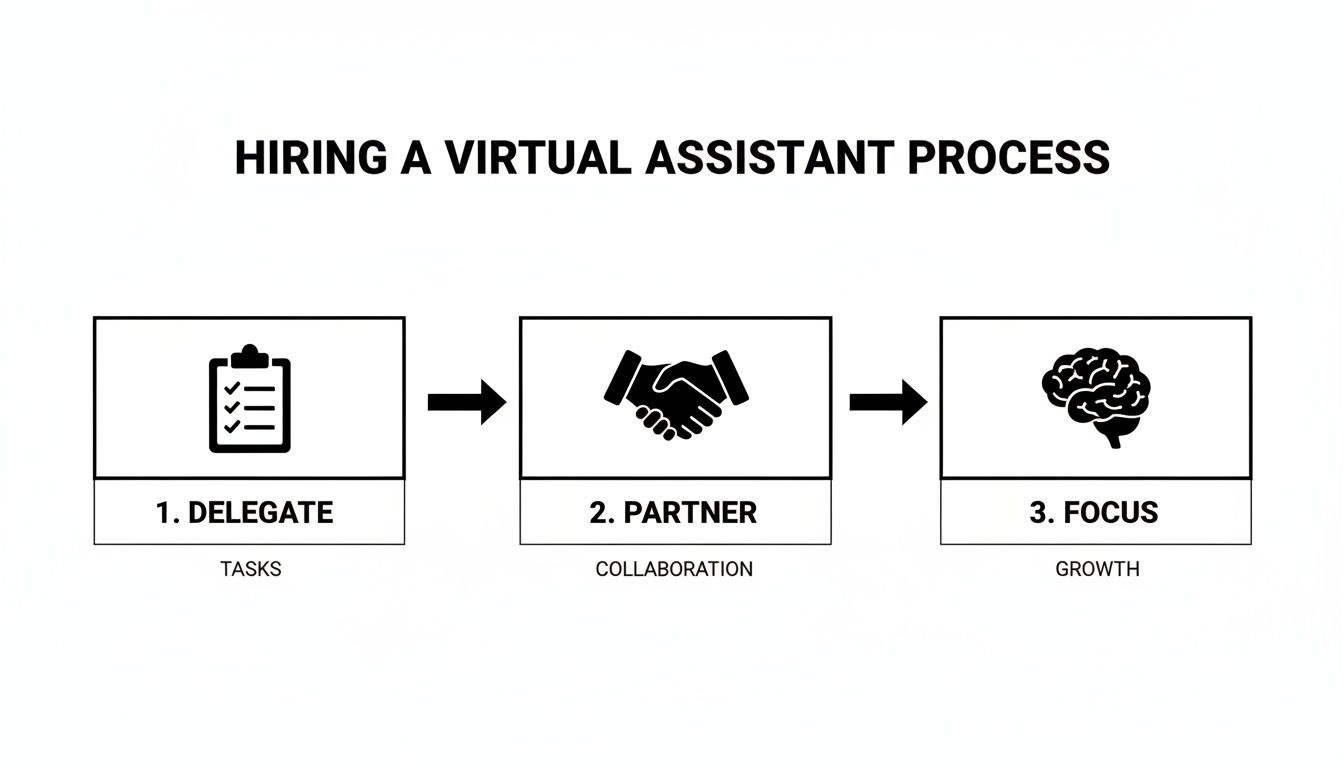
To hire a virtual assistant effectively, start by identifying 3–5 repetitive, low-risk administrative tasks to delegate, then partner with a managed virtual assistant agency to handle the vetting and matching. This approach saves you critical time, reduces the risk of a bad hire, and lets you focus on high-value work instead of getting bogged down by inbox management and scheduling. If you’re a founder or manager drowning in admin while trying to grow your business, this playbook provides a clear system for getting work off your plate.
Summary (TL;DR)
- What to do first: Identify 3-5 repetitive, time-consuming tasks to delegate immediately. Think inbox management, calendar scheduling, or basic data entry.
- What to delegate: Start with administrative tasks, then scale to process-driven work like report generation, social media scheduling, and client invoicing.
- What to expect: A well-onboarded virtual assistant should be running their core tasks independently within the first 30 days, saving you 5-10+ hours per week.
- Common pitfalls to avoid: Vague instructions, sharing primary login credentials, skipping the onboarding process, and using freelance marketplaces when you need consistency.
- Quick timeline: With a virtual assistant agency, you can be matched in days. Expect the first week to be focused on setup and the first 30 days on achieving autonomy for core tasks.
Key Takeaways
- Start Small, Win Big: Kick things off by delegating 3-5 repetitive, low-risk tasks. This builds trust and creates quick wins.
- Choose Your Path Wisely: Freelance marketplaces offer flexibility but come with a heavy management burden. A managed virtual assistant service delivers vetted talent, reliability, and process support, saving you precious time.
- Document Everything: Create simple Standard Operating Procedures (SOPs) for the tasks you’re delegating. A quick 10-minute screen recording is often all you need.
- Prioritize Security: Always use a password manager and grant role-based access. Never share your primary login credentials directly.
- Onboarding is Key: Treat the first 30 days as an investment. A solid onboarding plan is the foundation for your VA’s long-term success.
- Measure What Matters: Focus on metrics like hours saved per week and “time-to-independence”—how quickly your assistant can run a process without needing your input.
Quick Answers
What’s the difference between a VA on a marketplace vs. a managed service?
Marketplace VAs are freelancers you must find, vet, and manage yourself. A managed service or virtual assistant agency handles recruiting, vetting, and quality control, providing a reliable, "plug-and-play" solution with a satisfaction guarantee.
How long does it take to hire a virtual assistant?
Using a marketplace can take weeks of searching and interviewing. With a managed service like Match My Assistant, you can be matched with a vetted assistant in just a few days.
What should I delegate first?
Start with repetitive, time-consuming tasks that are easy to document. Great first tasks include meeting scheduling, inbox management, updating your Customer Relationship Management (CRM) system, and basic social media posting.
Step-by-step playbook
Bringing a virtual assistant on board successfully isn't luck—it's about having a repeatable process. This playbook breaks down the journey from identifying a need to building a powerful, self-sufficient partnership. The goal is to move from simply offloading tasks to creating a system that frees you to focus on growing your business.
1. Task Selection: Pinpoint Your Delegation Priorities
Before looking for help, identify exactly what to delegate. For one week, track your tasks and categorize them:
- Repetitive Admin: Inbox filtering, calendar management, data entry.
- Process-Driven Work: Running weekly reports, updating your CRM (Salesforce), prepping meeting agendas.
- Specialized Execution: Social media scheduling, basic graphic design, lead research.
Choose 3–5 tasks from these lists that offer the biggest time savings with the lowest risk.
2. Task Briefing: Craft Crystal-Clear Instructions
Vague instructions lead to vague results. For each task, create a simple, one-page brief. This document is the single source of truth for your VA, cutting down on confusion and rework. For example, instead of "clean up the CRM," a better brief is: "Review all new leads in [Salesforce] daily. Ensure 'Lead Source' and 'Industry' fields are correct. Flag contacts with missing phone numbers for my review."
3. Access/Security: Secure Your Digital Workspace
Giving a remote assistant access requires a security-first mindset. The golden rule is to never share your primary login credentials.
- Use a Password Manager: Tools like LastPass or 1Password are non-negotiable for sharing access securely.
- Grant Role-Based Access: Give your VA the minimum level of permission needed. Most software has guest or team member roles for this purpose.
- Create Separate Logins: Whenever possible, set up a unique login (e.g.,
va@[yourcompany].com) to create an audit trail. - Activate Two-Factor Authentication (2FA): Add this extra layer of security to all critical accounts.
4. Onboarding Week: Execute Your 30-Day Plan
The first month sets the foundation. A structured onboarding plan gets your new VA up to speed and working independently as quickly as possible. The goal of onboarding isn't just to teach tasks; it's to transfer context about your business, communication style, and what "a job well done" looks like.
Onboarding Timeline: Week 1 to First 30 Days
| Timeframe | Your Actions | Virtual Assistant Actions | Key Goal |
|---|---|---|---|
| Week 1 | Grant tool access. Assign 1-2 simple, low-risk tasks. Schedule 15-minute daily check-ins. | Confirm access, ask clarifying questions, complete initial tasks, and provide end-of-day summaries. | Establish communication and build initial confidence. |
| Week 2 | Introduce 1-2 more complex tasks. Reduce check-ins to 3x per week. Provide constructive feedback. | Begin managing multiple tasks, proactively identify process gaps, and consolidate questions for check-ins. | Build momentum and test independent problem-solving. |
| First 30 Days | Delegate all initial tasks. Transition to a single 30-minute weekly sync. Discuss next responsibilities. | Manage all assigned tasks with minimal oversight. Prepare an agenda for the weekly sync. Start documenting processes. | Achieve autonomy on core tasks and begin strategic planning. |
5. Cadence/Communication: Establish a Winning Rhythm
Clear communication prevents dropped balls. A simple, effective cadence blends real-time check-ins with asynchronous updates:
- Daily: A brief end-of-day summary via Slack or email covering completions, roadblocks, and questions.
- Weekly: A 30-minute video call to review performance, set priorities, and improve processes.
6. QA/Feedback: Create a Positive Feedback Loop
Provide regular, constructive feedback, especially in the first 30 days. Frame it as process improvement, not criticism. Ask questions like, "What part of the task brief was unclear?" or "What's one thing that would have made this easier for you?" This builds trust and helps your VA learn your standards quickly.
7. Scaling the Relationship: From Task-Doer to Partner
Once your VA masters their initial tasks, start handing off entire multi-step processes. An assistant who started by scheduling social media posts could eventually manage your entire content calendar. By consistently increasing their responsibilities, you transform your VA from a task-doer into a genuine strategic partner who can grow with your business. For a deeper dive, explore the essential skills for an executive assistant.
Delegation assets (templates + scripts)
Successful delegation requires clear systems, not guesswork. Using proven templates eliminates confusion and helps your new remote executive assistant understand exactly what "done" looks like from day one. These assets build a foundation of trust and empower your VA to operate with more autonomy.

Task Brief Template (One-Page)
- Goal: What is the ultimate purpose of this task?
- Example: "Secure cost-effective travel for my trip to the [Industry] conference in [City] from [Date] to [Date]."
- Definition of Done: What does a finished task look like?
- Example: "Flights, hotel, and rental car are booked. All confirmations are in a single PDF in our shared drive, and calendar events are created for each journey leg."
- Inputs/Links: Provide all necessary resources upfront.
- Example: "Conference website link. My frequent flyer, hotel loyalty, and corporate card details are in LastPass."
- Tools: What software will they need?
- Example: "Expedia, Google Calendar, and LastPass."
- Constraints: What are the non-negotiables?
- Example: "Non-stop flight only. Hotel must be within 1 mile of the convention center. Total budget is [$X]."
- Examples: Show, don't just tell.
- Example: "See the itinerary from my last trip to [City]—that’s the perfect format."
- Deadline: When is it needed?
- Example: "Please have options ready for my review by EOD Wednesday."
- Escalation rules: When should they loop you in?
- *Example: "If the total cost exceeds the budget by more than 10%, get my approval before booking."*
SOP / Checklist Template
For any task that happens more than once, a Standard Operating Procedure (SOP) ensures consistency.
Task: Weekly Social Media Scheduling
- Open the content calendar spreadsheet.
- Review posts scheduled for the upcoming week.
- Source approved images from the shared Google Drive folder.
- Log into our scheduling platform, Buffer.
- Draft each post with approved copy and images.
- Add all necessary tags and hashtags.
- Schedule each post for its designated date and time.
- Do a final check of the schedule for accuracy.
- Update the content calendar status to "Scheduled."
- Send a confirmation Slack message to the [Role].
Communication Cadence Template
A consistent communication rhythm ensures you and your VA are always aligned.
Daily Check-in (Asynchronous via Slack/Email)
- What I did today: A quick list of completed tasks.
- What I'm doing tomorrow: The top 3 priorities.
- Where I'm stuck: Any roadblocks or questions.
Weekly Sync (30-Minute Video Call Agenda)
- Review last week’s performance and key wins.
- Set priorities for the upcoming week.
- Discuss process improvements.
- Q&A for complex topics.
"What to delegate" task list
Not sure where to start? This list covers common tasks perfect for a new VA. For more ideas, see our guide on 10 things to outsource to a virtual assistant.
Administrative Support
- Manage and organize email inbox
- Schedule meetings and manage your calendar
- Book travel arrangements (flights, hotels, cars)
- Prepare and file expense reports
- Handle data entry and database cleanup
- Create and format documents and presentations
- Transcribe meeting notes or audio files
- Manage online filing systems (Google Drive, Dropbox)
Marketing & Sales Support
- Schedule social media posts
- Create basic graphics using Canva
- Perform market and competitor research
- Build and clean lead lists
- Update your CRM system
- Prepare and send client invoices
- Monitor social media comments and messages
- Format and publish blog posts in your CMS
Operations & Personal Tasks
- Create and document SOPs for routine tasks
- Manage vendor communications
- Order office supplies or team gifts
- Make personal appointments or reservations
- Research and purchase items online
Measurement & ROI
Hiring a virtual assistant is an investment, not an expense. Tracking the right metrics proves its value and shows exactly how much time you're reclaiming for strategic work.

Suggested KPIs
Focus on a few key metrics that tell the story of your VA's impact.
- Hours saved/week: The most critical metric. Getting back even 5-10 hours a week is a game-changer.
- Task turnaround time: How long does it take from task assignment to completion? Consistency is key.
- % tasks done without rework: A high percentage means your SOPs are clear and your VA is detail-oriented.
- Backlog size: Is that nagging to-do list finally shrinking?
- Time-to-independence: How long until the VA runs tasks with minimal oversight? A shorter timeline indicates a successful partnership.
A simple ROI framing
ROI isn't just about cost; it's a measure of reclaimed strategic capacity. Every hour your VA saves is an hour you can reinvest in high-value activities like sales, product development, or team leadership.
Use this simple formula:
(Hours Saved Per Week × Your Estimated Hourly Value) – Weekly VA Cost = Weekly Value Gained
This reframes the question from "How much does a VA cost?" to "How much value am I creating with the time I'm getting back?"
30-day scorecard checklist
Use this checklist at the end of the first month to evaluate success.
- Reliability: Deadlines were met and communication was proactive.
- Adherence to SOPs: Tasks were completed according to instructions.
- Communication: Check-ins were clear, professional, and efficient.
- Resourcefulness: Attempted to solve problems independently before escalating.
- Quality of Work: Work was consistently accurate and professional.
- Overall Impact: Do I feel less stressed and more focused on my most important work?
FAQs
Here are straightforward answers to the most common questions about hiring a virtual assistant.
What tasks should I delegate first?
Start with high-volume, low-risk tasks that are easy to explain. Good first steps include calendar management, inbox filtering, simple data entry (like updating your CRM), and scheduling pre-written social media posts. These provide immediate time savings and help build a working rhythm.
How do I give access securely?
Prioritize security from day one. Never share master passwords. Use a password manager like LastPass or 1Password, grant the minimum level of permission required (principle of least privilege), create separate logins whenever possible, and enable two-factor authentication (2FA) on all critical accounts.
What’s the difference between a virtual assistant and an executive assistant?
A Virtual Assistant (VA) is typically a remote contractor providing a wide range of administrative or technical support to multiple clients. An Executive Assistant (EA) is usually dedicated to one senior executive, acting as a strategic partner, gatekeeper, and project coordinator. Many of our clients seek a remote executive assistant—the dedication of an EA with the flexibility of a VA.
Dedicated VA vs pooled team—what’s better?
A dedicated VA is your single point of contact who learns your business and anticipates your needs, making them a true partner. A pooled team is a task service where any available person handles your request, which works for one-off tasks but lacks the consistency and context needed for a busy leader. For strategic support, a dedicated VA is almost always the better investment.
How does onboarding work and how long does it take?
With a managed service like ours, onboarding is a structured process. After matching (which typically takes a few days), the first 30 days are focused on integration. The first week is for system setup and 1–2 simple tasks. By the end of the first month, your VA should handle their core duties confidently with minimal oversight. Find more details in our frequently asked questions.
What happens if my assistant is unavailable?
This is a key advantage of working with a virtual assistant agency. If your dedicated assistant is sick or on vacation, we provide a trained backup assistant to step in, ensuring your critical tasks are completed without interruption. This provides continuity and peace of mind you don't get with a freelancer.
Is a VA better than hiring in-house for my situation?
For most small businesses, founders, and professionals needing 10–20 hours of support per week, a VA is more cost-effective and flexible. You avoid the overhead of a full-time employee (benefits, payroll taxes, office space) and can hire much faster—days instead of months. It's the perfect solution for getting expert support without the commitment of an in-house hire.
Ready to reclaim your time and focus on what matters most? Match My Assistant specializes in pairing busy leaders with vetted, top-tier virtual assistants through a clear process built for delegation. Talk to our team today to learn about our flexible support options and get matched with the right support to grow your business.