

To streamline your practice, delegate routine administrative and patient-facing tasks to a managed healthcare virtual assistant service. This approach saves time, reduces errors, and allows your clinical team to focus on patient care without the overhead of hiring in-house or the inconsistency of random freelancers. If you’re a practice manager or founder drowning in admin while trying to grow, this guide is for you.
Match My Assistant helps you delegate these routine and specialized tasks through vetted, HIPAA-aware support and a clear onboarding process. We focus on delivering clarity and consistency, getting work off your plate for good, backed by our satisfaction guarantee.
Key Takeaways
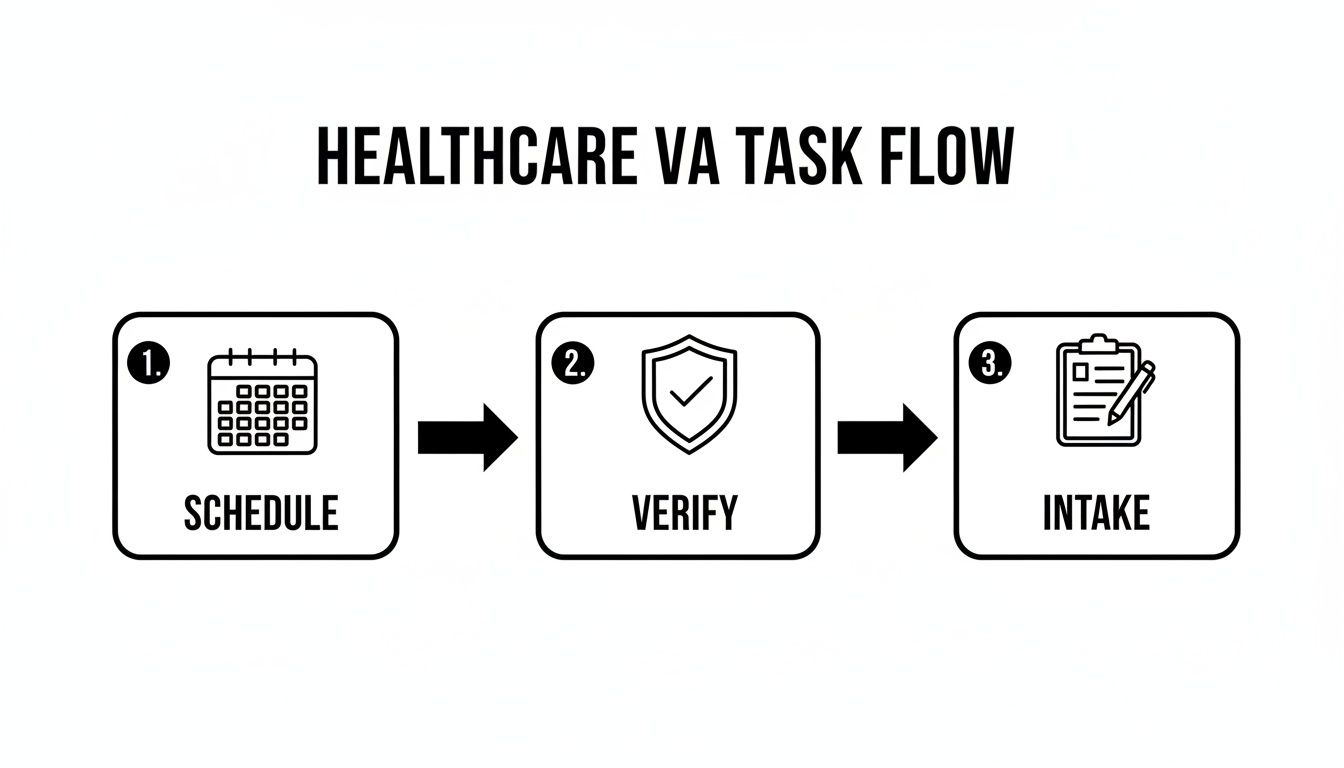
- Delegate First: Start by handing off 3-5 high-volume, repeatable tasks like appointment scheduling, insurance verification, and new patient intake.
- Security is Paramount: Use a password manager, the principle of least privilege, and two-factor authentication (2FA) for all system access. Always work with a service that provides a Business Associate Agreement (BAA).
- Structured Onboarding: Follow a 30-day plan to integrate your VA, starting with one core task and gradually expanding their responsibilities.
- Measure What Matters: Track KPIs like hours saved per week, task turnaround time, and reduction in no-show rates to measure ROI.
- Managed vs. Freelance: A managed virtual assistant agency offers pre-vetted talent, HIPAA compliance, backup coverage, and lower management overhead compared to hiring freelancers or in-house staff.
Quick Answers
- What does a healthcare VA do? They handle non-clinical administrative tasks like scheduling, insurance verification, data entry, and patient communication, all while adhering to HIPAA guidelines.
- Is it secure? Yes, when done correctly. Reputable agencies provide HIPAA-trained assistants, use secure password managers, and sign a Business Associate Agreement (BAA) to protect patient data.
- How long does it take to get started? With a managed service, you can have a vetted, trained assistant integrated into your workflow in as little as 1-2 weeks.
Summary (TL;DR)
- What to Do: Partner with a managed virtual assistant agency that provides pre-vetted, HIPAA-trained professionals and backup coverage. This offers the best balance of speed, trust, and ROI.
- What to Delegate: Start with high-volume admin tasks: appointment scheduling, insurance eligibility checks, new patient intake forms, and non-clinical patient follow-ups.
- What to Expect: A structured onboarding process where your virtual assistant masters 3-5 core tasks within the first 30 days, operating with minimal oversight.
- Common Pitfalls: Avoid vague instructions, sharing passwords insecurely, and delegating too many tasks at once. Lack of a clear onboarding plan is a primary cause of failure.
- Quick Timeline: Expect to be matched with a vetted assistant within a few days. Plan for a 1-week orientation and a 30-day ramp-up period for your VA to achieve full ownership of their initial tasks.
Step-by-step playbook
Bringing a healthcare virtual assistant on board requires a structured, security-first process. Follow this seven-step playbook to integrate your new assistant efficiently, ensuring they become a productive, HIPAA-compliant member of your team within 30 days.

-
Task Selection: Identify Your Delegation Priorities
Don't boil the ocean. Start by identifying 3–5 high-volume, repeatable administrative tasks that are currently consuming your team’s time. Good candidates include appointment scheduling, processing new patient forms, and running insurance eligibility checks. -
Task Briefing: Document the “How”
For each task, create a simple but detailed brief. Vague instructions are a liability in healthcare. Your brief should be the single source of truth for how the job gets done, cutting down on back-and-forth and ensuring consistency. -
Access/Security: Establish Secure Protocols
Protecting patient data is non-negotiable. Use a password manager like LastPass or 1Password to grant access—never share credentials over email. Apply the principle of least privilege by creating limited-access roles in your systems and enforce two-factor authentication (2FA) everywhere. Reputable virtual assistant services will provide a Business Associate Agreement (BAA) to ensure HIPAA compliance. -
Onboarding Week: Execute a Structured Plan
The first month sets the tone. A structured timeline prevents overwhelm and builds confidence.- Week 1: Focus on orientation and security. Grant system access, review the BAA and HIPAA protocols, and walk through the first task brief together. The VA should begin handling their first priority task with supervision.
- Week 2: Encourage independent work. Allow the VA to manage the first two tasks on their own. Conduct daily spot-checks and provide clear, constructive feedback to establish a quality loop.
- First 30 Days: The VA should now own their initial 3-5 tasks with minimal oversight. By the end of the month, they should be a fully integrated team member who escalates issues appropriately and is ready for more responsibility.
-
Cadence/Communication: Set a Reliable Rhythm
Establish a clear communication schedule. Start with a daily 10-minute video huddle for the first week. After that, transition to a weekly 20-minute sync, using a tool like Slack or Microsoft Teams for day-to-day updates and quick questions. -
QA/Feedback: Implement a Quality Loop
Don't wait for mistakes. In the first 30-60 days, build in a simple review process. This could be spot-checking 5-10 patient files they updated each week or reviewing call logs. Provide timely, specific feedback that reinforces what they did well, not just what needs correction. -
Scaling the Relationship: Grow Their Responsibilities
Once your VA has mastered their initial tasks and proven their reliability, start delegating more complex administrative duties. This progressive approach transforms them from a task-doer into a strategic partner who helps your practice run more efficiently.
Delegation assets (templates + scripts)
Effective delegation relies on clear instructions. These templates provide the framework needed to hand off tasks to your healthcare virtual assistant with confidence, ensuring consistency and HIPAA compliance from day one.
Task Brief Template
Use this for every new task you delegate.
- Goal: What outcome are we trying to achieve? (e.g., "Verify every new patient's insurance 48 hours before their first visit to prevent billing errors.")
- Definition of Done: What does 100% complete look like? (e.g., "The patient's EHR file is updated with their copay, deductible, and pre-auth number, and a confirmation note is added.")
- Inputs/Links: Links to the daily schedule, insurance portal login, patient communication scripts.
- Tools: EHR Software, RingCentral, insurance provider portal.
- Constraints: Absolute rules. (e.g., "Never send Protected Health Information (PHI) via standard email. All PHI must remain within the secure EHR messaging system.")
- Examples: A screenshot or short screen recording of the task done correctly.
- Deadline: Daily by 4 PM ET.
- Escalation Rules: Who to contact for specific issues. (e.g., "Billing questions go to the Practice Manager; clinical questions are flagged for the Head Nurse.")
SOP / Checklist Template (New Patient Insurance Verification)
A Standard Operating Procedure (SOP) turns a complex process into a simple checklist.
- Open the master appointment schedule for the next two business days.
- Filter the view to show "New Patients" only.
- For each new patient, open their chart in the EHR.
- Locate the digital copy of their insurance card.
- Log in to the corresponding insurance provider's portal.
- Enter the patient's policy details to confirm active coverage.
- Document the key benefits: copay, remaining deductible, and pre-authorization requirements.
- Update the designated insurance fields in the patient's EHR record.
- Add a timestamped note with the verification date and confirmation number.
- Flag any charts with coverage issues and notify the Practice Manager immediately via secure chat.
Communication Cadence Template
- Daily Check-in (First 2 weeks): 10-minute morning video call. Agenda: What was completed yesterday? What is today's top priority? Are there any blockers?
- Weekly Huddle (Ongoing): 20-minute video call on Mondays. Agenda: Review weekly KPIs (e.g., appointments scheduled, verifications done). Discuss upcoming priorities. Identify process improvement opportunities.
- Async Communication: Use a secure chat tool like Slack for quick questions and a brief end-of-day summary message.
"What to delegate" task list
Here are over 20 HIPAA-compliant tasks perfect for a remote assistant:
- Scheduling, rescheduling, and canceling appointments
- Sending appointment confirmations and reminders
- Managing the cancellation waitlist to fill open slots
- Verifying insurance eligibility and benefits
- Obtaining pre-authorizations for procedures
- Processing new patient intake forms
- Entering data into the Electronic Health Record (EHR) system
- Managing digital faxes and scanning documents
- Answering non-clinical patient phone calls
- Replying to general inquiry emails
- Making post-appointment follow-up calls
- Coordinating inbound and outbound patient referrals
- Updating patient demographic information
- Transcribing non-clinical voicemails
- Calling patients to confirm contact details
- Distributing patient satisfaction surveys
- Managing patient recall lists for follow-up care
- Answering basic billing and invoice questions
- Performing data cleanup in the EHR system
- Scribing notes during administrative meetings
- Ordering office and medical supplies
Measurement & ROI
A great healthcare virtual assistant creates a clear return on investment (ROI) by freeing up your clinical staff and streamlining administrative workflows. Tracking the right metrics proves the value beyond just feeling "less busy."

Suggested KPIs
Focus on these Key Performance Indicators (KPIs) to measure your VA's impact:
- Hours Saved per Week: The time your clinicians or practice manager gets back from administrative tasks.
- Task Turnaround Time: How quickly tasks like insurance verification or processing intake forms are completed.
- % Tasks Done Without Rework: The accuracy and quality of the VA's work.
- Backlog Size: The reduction in pending administrative tasks (e.g., un-filed documents, patient callbacks).
- Response-Time Expectations: Meeting agreed-upon service levels for responding to patient inquiries.
- Time-to-Independence: How long it takes for the VA to manage their core tasks with minimal oversight.
A Simple ROI Framing
You can calculate a tangible financial return with a simple formula. For detailed information on costs, see our plans and pricing.
(Hours Saved per Month × Hourly Value of Leader/Clinician Time) – Monthly VA Cost = Monthly ROI
For example, if your VA saves a practitioner (valued at $150/hr) just 5 hours per week, that's 20 hours a month. This translates to $3,000 in recovered value, which you can then compare against the VA's monthly fee.
30-Day Scorecard Checklist
Use this checklist after the first month to objectively evaluate success:
- HIPAA Compliance: Demonstrates a consistent understanding of security and privacy protocols.
- Task Ownership: Independently manages at least 3 core tasks from start to finish.
- System Proficiency: Navigates your EHR and other core tools confidently.
- Communication: Follows the established communication cadence and escalates issues correctly.
- Accuracy: Produces work with minimal errors requiring rework.
- Proactivity: Begins to anticipate needs, such as flagging potential scheduling conflicts.
- Team Integration: Has built a positive, professional rapport with your in-house staff.
FAQs
Here are concise answers to the most common questions from practice managers and healthcare founders.
1. What tasks should I delegate first?
Start with high-volume, repeatable tasks to see an immediate impact. The best candidates are appointment scheduling, sending patient reminders, new patient intake form processing, and insurance eligibility verification. These are easy to document and provide quick relief to your front-desk team.
2. How do I give access securely?
Never share passwords directly. Use a password manager like 1Password or LastPass to grant and revoke access securely. Create a limited-permission user role in your EHR (Principle of Least Privilege) and enforce two-factor authentication (2FA) on all accounts. A managed agency will also provide a signed Business Associate Agreement (BAA).
3. What’s the difference between a virtual assistant and an executive assistant?
A virtual assistant (VA) typically handles a broader range of administrative and specialized tasks remotely for various clients. A remote executive assistant (EA) usually provides dedicated, high-level administrative support to a single executive or leader, focusing more on calendar management, travel, and strategic support. A healthcare VA is a specialized role trained in medical terminology and HIPAA compliance.
4. Dedicated VA vs pooled team—what’s better?
A dedicated VA works exclusively with you for a set number of hours, learning the nuances of your practice and building a relationship with your team. A pooled team means tasks go to the next available person, which is good for simple, one-off tasks but lacks the consistency and institutional knowledge needed for integrated healthcare administration. For most practices, a dedicated VA is superior.
5. How does onboarding work and how long does it take?
Our streamlined onboarding process takes about 1-2 weeks. After you're matched with a vetted assistant, we guide you through a structured 30-day plan. The first week focuses on security, tool access, and the first core task. By day 30, your assistant is typically managing 3-5 tasks independently. Learn more about how our matching process works.
6. What happens if my assistant is unavailable?
This is a key advantage of a managed service over a freelancer. If your dedicated assistant is sick or on vacation, we provide a trained backup assistant to step in and handle all critical tasks, ensuring seamless coverage so your practice never misses a beat.
7. Is a VA better than hiring in-house for my situation?
It depends on your needs. A managed VA is faster to onboard, more cost-effective (no benefits, payroll taxes, or equipment costs), and comes with built-in backup coverage and less management overhead. Hiring in-house offers a fully dedicated on-site presence but at a significantly higher cost and slower hiring timeline. For practices looking for flexible, scalable admin support without the HR burden, a VA is often the better choice.
Ready to delegate with confidence and get your team’s focus back on patient care? Match My Assistant connects you with vetted, HIPAA-aware virtual assistants ready to support your practice. To see how our flexible support options can work for you, talk to our team and get a quote today.