

The smartest move a busy professional can make is to partner with a managed virtual assistant agency to delegate routine and specialized tasks. It’s the fastest, most reliable way to get vetted support, reclaim your time, reduce context switching, and execute faster without the risk of freelance marketplaces. If you’re a founder drowning in your inbox while trying to grow your business, this guide is your playbook.
Summary (TL;DR)
- What to Do: Partner with a managed virtual assistant agency like Match My Assistant. We handle the vetting, matching, and onboarding to ensure you get reliable, high-quality support without the administrative headache.
- What to Delegate First: Start with 3–5 high-frequency, low-strategy tasks. Focus on calendar management, inbox filtering, travel booking, and simple data entry to score quick wins.
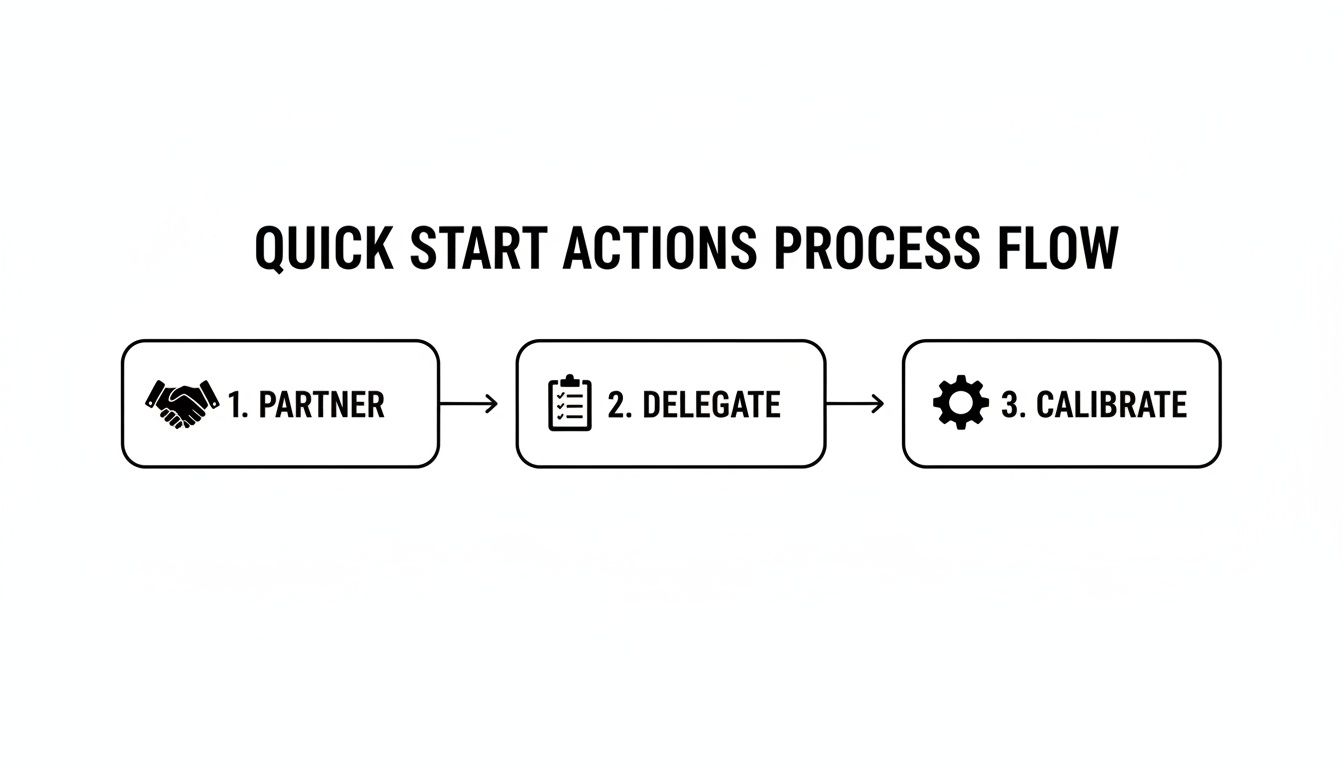
- What to Expect: The first 30 days are a calibration period. Invest time upfront in training and clear feedback to build a system that runs with minimal oversight.
- Common Pitfalls: Delegation fails due to vague instructions, poor communication, or a lack of documented processes. Clear task briefs and a regular check-in cadence are non-negotiable.
- Quick Timeline: Expect your assistant to be trained on core tasks in Week 1, working independently with your review in Week 2, and owning their core systems by the end of the first 30 days.
Key Takeaways
- Choose a Managed Service: A virtual assistant agency provides vetted talent, a structured process, and backup support, mitigating the risks of hiring freelancers directly.
- Start with Small, Repetitive Tasks: Don't try to delegate everything at once. Begin with clear, process-driven tasks like scheduling or inbox management to build trust and momentum.
- Invest in Onboarding: The first 30 days are critical. Clear instructions, regular feedback, and documented processes (SOPs) are essential for long-term success.
- Security is Paramount: Use password managers, two-factor authentication (2FA), and the principle of least privilege to grant access securely.
- Measure Your ROI: Track hours saved and calculate the value of your reclaimed time against the VA's cost to understand the true impact on your productivity.
Quick Answers
What tasks should I delegate first?
Start with repetitive administrative work that consumes your time but doesn't require your unique expertise, such as calendar management, inbox organization, and travel coordination.
How do I give access securely?
Use a password manager like 1Password or LastPass, enable two-factor authentication (2FA) on all accounts, and only grant access to the specific tools required for the job (the principle of least privilege).
How long does it take to onboard a virtual assistant?
Plan for a 30-day calibration period. Week 1 is for training on core tasks; by the end of the month, your assistant should be handling those responsibilities with minimal oversight.
Step-by-Step Playbook

Bringing an outsourced virtual assistant into your workflow requires a clear, repeatable process. This 7-step playbook provides the framework to ensure a smooth handoff and a productive, long-term partnership from day one.
- Task Selection: Before you start, identify 3–5 high-frequency, low-strategy tasks that are consuming your time. Perfect candidates include managing your calendar, filtering your inbox, or booking travel. This focused approach helps you score quick wins.
- Task Briefing: For each task, create a simple brief with a clear goal and "Definition of Done." Vague instructions are the primary cause of rework. A clear brief ensures your VA knows exactly what success looks like.
- Access & Security: Grant system access securely. Use a password manager like 1Password to share credentials without revealing passwords. Always follow the principle of least privilege, granting access only to what is absolutely necessary.
- Onboarding Week: The first week is for training, not perfection. Be available to answer questions and walk through your 3–5 priority tasks. Your goal is to teach your VA your way of working and establish clear expectations.
- Cadence & Communication: Establish a communication rhythm. Start with a 15-minute daily check-in for the first two weeks to review work and clear roadblocks. You can later transition to a weekly sync and use async tools like Slack for daily updates.
- QA & Feedback: Build a consistent feedback loop. Provide specific, constructive guidance. Instead of "this is wrong," try, "Great start. Next time, please format the report this way and double-check the figures against the [Tool] dashboard."
- Scaling the Relationship: Once your VA masters the initial tasks, begin layering in more complex work. This could include project coordination, creating Standard Operating Procedures (SOPs) for their own tasks, or managing client communications.
Onboarding Timeline: The First 30 Days
- Week 1: Focus on training for 2-3 core tasks. Provide detailed instructions, live walkthroughs, and plenty of examples. Daily check-ins are essential.
- Week 2: The VA begins performing tasks independently, with your daily review. The focus shifts from teaching to refining their work and adapting to your preferences.
- First 30 Days: By the end of the month, your assistant should be running their core systems with minimal supervision. Your role shifts to high-level oversight and delegating new projects, allowing you to reclaim significant time.
This structured onboarding is a key part of our virtual assistant services, ensuring you get a partner ready to make an impact.
Delegation Assets (Templates + Scripts)
Effective delegation relies on clear systems, not guesswork. These templates remove ambiguity and provide your outsourced virtual assistant with the clarity they need to succeed.
Task Brief Template
- Goal: (One-sentence summary of the desired outcome.) Ex: "Finalize and format the slide deck for the Q3 investor update."
- Definition of Done: (Specific, measurable criteria for completion.) Ex: "A 20-slide Google Slides presentation is saved in the 'Investor Decks' folder, proofread for errors, and ready for my final review."
- Inputs/Links: (All necessary files, documents, and resources.) Ex: "Link to raw data spreadsheet, last quarter's deck for reference."
- Tools: (Software required to complete the task.) Ex: "Google Slides, Canva, [CRM]."
- Constraints: (Any rules, brand guidelines, or things to avoid.) Ex: "Must use the official company slide template. Do not use screenshots for data tables."
- Examples: (Links to past work that was done well.) Ex: "Here is a link to the Q2 deck, which is a great example of the style we want."
- Deadline: (The date and time the task is due.) Ex: "End of day, Friday."
- Escalation Rules: (Who to ask if they get stuck.) Ex: "Slack me first. If I don't respond within 60 minutes, ask Sarah in marketing for brand assets."
SOP / Checklist Template
(Example: Weekly Sales Report)
- Log into [Tool Name].
- Navigate to the 'Reports' dashboard.
- Select 'Generate Weekly Sales Report'.
- Set the date range for the previous week (Monday-Sunday).
- Export the report as a CSV file.
- Open the file and format the 'Revenue' column as currency ($).
- Save the file with the naming convention:
YYYY-MM-DD_Sales_Report. - Upload the final file to the 'Shared Drive > Sales Reports' folder.
- Send a link to the file in our shared Slack channel.
- Archive the original CSV from your downloads folder.
Communication Cadence Template
- Daily Check-in (First 2 Weeks): 15-minute morning call to review yesterday's work, set today's priorities, and identify blockers.
- Weekly Sync (Ongoing): 30-minute call on Mondays to review the previous week, plan the week ahead, and discuss upcoming projects.
- Async Updates (Daily): Use Microsoft Teams or Slack for quick questions, status updates, and file sharing. Reserve project management tools for assigning complex tasks.
"What to Delegate" Task List
- Manage and organize your calendar
- Schedule internal and external meetings
- Filter and organize your email inbox
- Unsubscribe from junk email lists
- Book flights, hotels, and ground transportation
- Prepare travel itineraries
- Perform basic data entry into a CRM or spreadsheet
- Transcribe audio from meetings or interviews
- Create and format reports or presentations
- Conduct online research on competitors or vendors
- Manage social media scheduling
- Respond to basic customer service inquiries
- Process expense reports
- Order office supplies or client gifts
- Create and send invoices
- Update and maintain contact lists
- Proofread documents and emails
- Prepare meeting agendas and take minutes
- Set up new client files or project folders
- Follow up on outstanding invoices
Measurement & ROI
Hiring an outsourced virtual assistant is an investment in your productivity. Measuring the return on that investment (ROI) isn't just about cost; it's about the value of the time you reclaim to focus on high-impact work.
The global virtual assistant market is on track to hit $44.25 billion by 2027, driven by professionals seeking scalable support without the overhead of full-time hires. Find more virtual assistant industry insights on thereistalent.com. This is no longer a niche solution but a core operational strategy.
Suggested KPIs
Track these key performance indicators (KPIs) to measure success:
- Hours Saved per Week: The most direct measure of reclaimed time.
- Task Turnaround Time: The average time from task assignment to completion.
- % Tasks Done Without Rework: A key indicator of quality and clarity.
- Backlog Size: The number of pending administrative tasks on your plate.
- Time-to-Independence: How long it takes for the VA to manage core tasks with minimal oversight.
A Simple ROI Framing
Use this simple formula to quantify the financial impact:
(Hours Saved Per Week × Your Hourly Value) – Weekly VA Cost = Weekly ROI
For example, if you delegate 10 hours of work a week and value your time at $150/hour, you reclaim $1,500 in value. Subtract the cost of your virtual assistant, and the remainder is your net gain, which you can reinvest into strategic growth activities. Learn more about how virtual assistant rates factor into this calculation in our guide.
30-Day Scorecard Checklist
- Have we established a clear and effective communication rhythm?
- Is the quality of work consistently meeting expectations?
- Is the VA adhering to documented processes (SOPs)?
- Has the VA’s need for direct oversight on core tasks decreased significantly?
- Has the VA started to anticipate needs or suggest process improvements?
- Have I successfully reclaimed at least 5 hours per week?
- Do I feel less bogged down by administrative tasks?
FAQs
What tasks should I delegate first?
Start with high-frequency, low-strategy tasks that are repetitive and easy to document. Excellent starting points include calendar management, inbox filtering, travel booking, data entry, and basic online research. These quick wins help build trust and refine your delegation process.
How do I give access securely?

Security is paramount. Never share passwords directly. Instead, use a password manager like LastPass, create separate, role-based logins for your VA whenever possible, and enable two-factor authentication (2FA) on all critical accounts. Adhere strictly to the principle of least privilege.
What’s the difference between a virtual assistant and an executive assistant?
A Virtual Assistant (VA) is typically task-focused, executing specific assignments like scheduling posts or transcribing audio. A remote Executive Assistant (EA) is more of a strategic partner, managing complex workflows, anticipating needs, and taking ownership of operational areas like a leader's calendar and communications to create leverage.
Dedicated VA vs pooled team—what’s better?
A dedicated VA is ideal for leaders who need a consistent partner who understands their unique context and preferences. This is essential for complex inbox or calendar management. A pooled team can work for high-volume, transactional tasks where personal context isn't critical, but lacks the deep integration a dedicated assistant provides. For most professionals, a dedicated model delivers far greater value.
How does onboarding work and how long does it take?
Plan for a 30-day onboarding period focused on building autonomy. Week 1 is for training on 2-3 core tasks. Week 2 involves independent work with your daily review. By the end of the first 30 days, your VA should own their core responsibilities with minimal supervision. Our structured onboarding process is designed to achieve this.
What happens if my assistant is unavailable?
This is a key advantage of working with a virtual assistant agency like Match My Assistant. If your assistant is sick or on vacation, we can provide a vetted backup assistant to cover critical tasks, ensuring business continuity. This reliability, backed by our satisfaction guarantee, is something you don't get with independent freelancers. Find out more about how our matching process works.
Is a VA better than hiring in-house for my situation?
For most small businesses and busy professionals, outsourcing is the smarter choice. It’s more cost-effective (no payroll taxes, benefits, or overhead), offers greater flexibility to scale support up or down, and provides faster access to a wider pool of vetted talent. Whether you’re a founder in [San Francisco] or an ops manager at a [Marketing] agency, a managed virtual assistant provides immediate leverage without the commitment of a full-time hire. Explore our plans and pricing to see the difference.
Ready to reclaim your time and focus on what matters most? Match My Assistant helps busy professionals delegate with confidence by matching them with a vetted, reliable virtual assistant. We offer flexible support options to fit your needs, whether for a specific project or ongoing assistance.