
The fastest, most reliable way to hire an assistant is to partner with a managed virtual assistant agency that handles the vetting, matching, and onboarding for you. This approach saves you critical time, reduces the risk of a bad hire, and ensures you get consistent, confidential support from day one, allowing you to delegate with confidence and focus on growing your business. If you’re a founder or business operator drowning in your inbox while trying to scale, this guide is for you.
This guide provides a clear path to delegating effectively without the churn of freelance marketplaces or the high overhead of an in-house hire. Working with a virtual assistant agency like Match My Assistant helps you delegate routine and specialized tasks through vetted support and a clear onboarding process. The outcome is clarity, consistency, and getting work off your plate, backed by a satisfaction guarantee.
Key Takeaways
- Start with a Plan: The best way to hire an assistant is to first identify 3-5 high-volume, repetitive tasks you can delegate immediately.
- Choose a Managed Service: A virtual assistant agency de-risks the process by handling vetting, matching, and providing backup support.
- Onboarding is Crucial: A structured first 30 days, clear task briefs, and a consistent communication rhythm are essential for success.
- Prioritize Security: Use a password manager and the principle of least privilege to grant access to tools and accounts safely.
- Measure ROI: Track hours saved, task turnaround time, and time-to-independence to measure the impact on your productivity.
- Delegate Outcomes, Not Just Tasks: Provide clear goals and definitions of done to empower your assistant to own the results.
Quick Answers
What's the fastest way to hire an assistant?
Partnering with a managed virtual assistant agency is the quickest method. They have a pool of pre-vetted professionals ready to start, often within a week.What tasks should I delegate first?
Start with high-volume, low-complexity administrative tasks like calendar management, inbox filtering, meeting scheduling, and basic data entry to get immediate time back.How do I securely share access to my accounts?
Use a password manager like LastPass or 1Password to share credentials without revealing the actual password, and always enable Two-Factor Authentication (2FA).
Summary (TL;DR)
For busy leaders who need the bottom line on how to hire an assistant:
- What to Do First: Identify 3-5 repetitive, time-consuming tasks you can offload immediately. Starting small builds a strong foundation.
- What to Delegate: Focus on administrative work (inbox/calendar management, scheduling), data entry (CRM updates, reports), research, and basic social media or marketing tasks.
- What to Expect: Plan for a 1-2 week onboarding period where you provide clear instructions and feedback. Success depends on the time you invest upfront.
- Common Pitfalls: Avoid vague instructions, inconsistent communication, and failing to provide secure access to necessary tools. Don't expect your assistant to read your mind.
- Quick Timeline: A good managed service can match you with a vetted assistant in under a week. Expect your new assistant to be handling core tasks independently within the first 30 days.
Step-by-Step Playbook
A successful partnership isn’t just about hiring the right person; it’s about having the right system. This playbook provides a structured process for onboarding your new assistant and setting them up for success from day one.
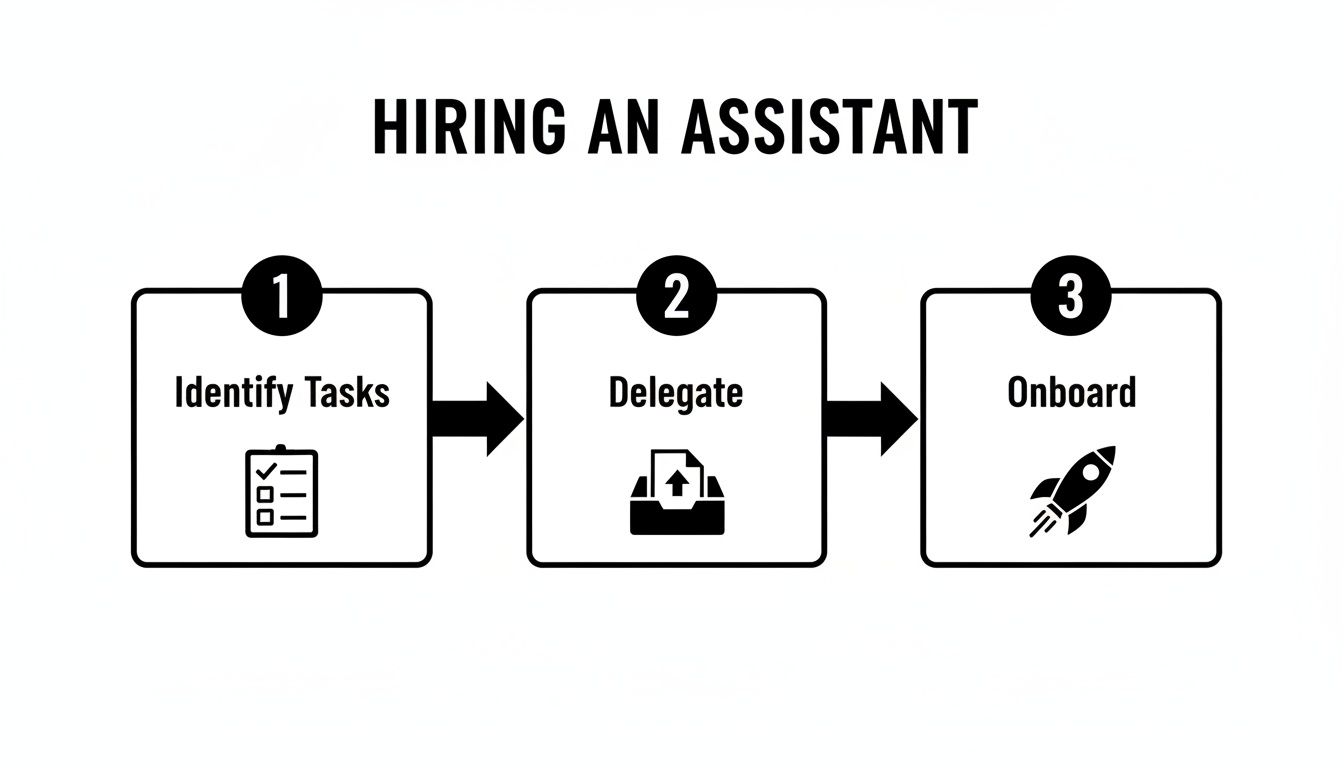
- Task Selection: Identify Your Top 3-5 Delegation Targets. Before you do anything else, audit your last week of work. Pinpoint the repeatable, low-impact tasks that consumed your time. Good candidates include managing your calendar, filtering emails, updating reports, or scheduling appointments.
- Task Briefing: Create Clear Instructions. For each task, write a simple one-page brief. Define the goal, the "definition of done," and list all necessary tools, links, and examples. This clarity eliminates guesswork and reduces rework.
- Access & Security: Grant Permissions Safely. Never share passwords directly. Use a password manager like LastPass or 1Password to grant access. Follow the principle of least privilege: only provide access to what is absolutely necessary for the task. Enable Two-Factor Authentication (2FA) on all critical accounts.
- Onboarding Week: Focus on Core Systems. The first week is for training, not just task execution. Schedule dedicated time to walk your assistant through your core processes and tools via screen share. Record these sessions using a tool like Loom to create a reusable training library.
- Cadence & Communication: Establish a Rhythm. Define how you will communicate. A proven model is a brief asynchronous daily check-in (via Slack or email) for priorities and a 15-minute weekly video call to review progress and plan ahead.
- QA & Feedback: Review Everything Early On. For the first few weeks, review every completed task. Provide specific, constructive feedback to calibrate expectations and build your assistant's confidence. This upfront investment accelerates their path to autonomy.
- Scaling the Relationship: Gradually Add Complexity. Once your assistant masters the initial tasks, begin introducing more complex responsibilities. This gradual expansion of their role builds their skills and deepens their integration into your workflow.
Onboarding Timeline: The First 30 Days
- Week 1: Setup & Core Task Mastery. The goal is for your assistant to learn your tools, communication style, and master the initial 3-5 tasks with your direct feedback.
- Week 2: Refinement & Adding Tasks. Your assistant should handle core tasks with less oversight. Introduce 2-3 new, slightly more complex tasks.
- First 30 Days: Building Autonomy. By the end of the month, your assistant should manage all core duties with minimal supervision and begin proactively identifying areas for process improvement.
This structured onboarding transforms a new hire into a valuable partner. For more strategies, explore our guide on outsourcing to a virtual assistant.
Delegation Assets (Templates + Scripts)
Effective delegation relies on clear systems. These templates remove ambiguity, ensure consistency, and make every handoff smoother and more reliable from the start.

Task Brief Template
- Goal: What is the desired outcome of this task? (e.g., "Prepare the weekly pipeline report for the Monday leadership meeting.")
- Definition of Done: What does "complete" look like? Be specific. (e.g., "The report is saved to the 'Sales Reports' Google Drive folder, formatted correctly, and a link is posted in the #sales Slack channel.")
- Inputs/Links: Where is the information needed to start? (e.g., Link to the CRM report, link to the Google Sheets template.)
- Tools: What software is required? (e.g., Salesforce, Google Sheets, Slack.)
- Constraints: Are there any budget limits, style guides, or things to avoid? (e.g., "Do not include data from prospects in the 'Disqualified' stage.")
- Examples: Link to a past report that was completed correctly.
- Deadline: When is this due? (e.g., "Every Monday by 9:00 AM EST.")
- Escalation Rules: Who should be contacted if issues arise, and when?
SOP / Checklist Template (Simple)
SOP: Weekly Social Media Scheduling
- Open the content calendar spreadsheet.
- Review approved posts for the upcoming week.
- Log in to [Social Media Scheduling Tool].
- For each post, copy the text and upload the corresponding graphic from the 'Approved Assets' folder.
- Select the correct social media profile(s).
- Schedule the post for the date and time specified in the calendar.
- Double-check the scheduled time, text, and image for accuracy.
- Mark the post as "Scheduled" in the content calendar.
- Repeat for all posts for the week.
- Send a confirmation message in Slack once all posts are scheduled.
Documenting processes is a critical step in building a scalable business. To organize these assets, consider the best document management software for your team's needs.
Communication Cadence Template
- Daily Check-in (Async via Slack/Email):
- Completed Yesterday: (1-2 bullet points)
- Priorities for Today: (Top 3 tasks)
- Blockers: (Anything preventing progress?)
- 15-Minute Weekly Sync (Video Call):
- Review Last Week: Progress against goals.
- Troubleshoot: Discuss any challenges or process improvements.
- Plan Next Week: Align on key priorities.
"What to Delegate" Task List
- Manage and filter your primary email inbox.
- Schedule meetings and appointments.
- Handle travel booking and create detailed itineraries.
- Update your Customer Relationship Management (CRM) system like HubSpot.
- Prepare weekly performance reports from a template.
- Monitor social media channels for comments and questions.
- Conduct competitor or market research.
- Create simple social media graphics using Canva.
- Transcribe audio from meetings into notes.
- Format and proofread documents or blog posts.
- Build targeted lead lists based on specific criteria.
- Manage expense reports and organize receipts.
- Create and send client invoices using a tool like QuickBooks.
- Follow up with vendors on outstanding invoices.
- Send welcome packets to onboard new clients.
- Organize and clean up data in spreadsheets.
- Post job descriptions to hiring platforms.
- Perform initial screening of resumes against a checklist.
- Format presentations and proposals.
- Handle basic email-based customer support inquiries.
- Manage and renew software subscriptions.
Measurement & ROI
How do you know if hiring an assistant is truly working? Moving beyond "feeling less busy" to measuring tangible results is key to confirming a positive return on your investment.
Suggested KPIs
Track these simple Key Performance Indicators (KPIs) to measure your assistant's impact:
- Hours Saved/Week: The most critical metric. How many hours of your time are now free to focus on high-value work?
- Task Turnaround Time: How quickly are tasks completed from assignment to delivery? This measures your operational velocity.
- % Tasks Done Without Rework: A high percentage indicates clear instructions and a competent assistant.
- Backlog Size: Is your to-do list shrinking? A consistently decreasing backlog shows you're getting ahead of the work.
- Time-to-Independence: How long does it take for your assistant to manage core tasks with minimal oversight? A short ramp-up time is a huge win.
Simple ROI Framing
You don't need a complex formula to calculate your Return on Investment (ROI). Use this simple framework:
(Hours Saved Per Week × Your Hourly Value) – Weekly Assistant Cost = Net Value Gained
To estimate your hourly value, divide your annual salary by 2,000. If your time is worth $150/hour and your assistant saves you 10 hours a week, you've gained back $1,500 in productive value. Subtract the assistant's cost to see your net gain. You can review different pricing options to find a plan that fits your budget.
30-Day Scorecard Checklist
Use this checklist after the first month to evaluate success:
- Core tasks (initial 3-5) are being completed consistently and accurately.
- The need for corrections and rework has noticeably decreased.
- Communication is proactive, with updates provided without prompting.
- My personal involvement in administrative tasks has been reduced by at least 50%.
- The established communication rhythm feels efficient and effective.
- I have more time and mental space for strategic, high-impact work.
- The assistant is beginning to suggest process improvements.
The reliability of a managed assistant is why the dedicated VA model is growing rapidly, with businesses slashing overhead by up to 78% compared to in-house hires. Discover more insights about virtual assistant statistics here.
FAQs
Here are concise answers to the most common questions from professionals looking to hire an assistant.
1. What tasks should I delegate first?
Start with high-volume, repetitive tasks that don't require deep strategic input. Good first tasks include calendar management, inbox filtering, scheduling meetings, and basic data entry. These provide quick wins and build a strong working foundation.
2. How do I give access securely?
Use a password manager like LastPass or 1Password to share credentials without exposing the actual password. Always follow the principle of least privilege, granting only the necessary access, and enable Two-Factor Authentication (2FA) on all critical accounts.
3. What’s the difference between a virtual assistant and an executive assistant?
An Executive Assistant (EA) traditionally provides dedicated, high-level support to a single executive, often in-person. A Virtual Assistant (VA) works remotely and often supports multiple clients with a broad range of skills. However, the rise of the remote executive assistant has blurred these lines, with VAs now frequently providing dedicated, strategic support from afar.
4. Dedicated VA vs pooled team—what’s better?
A dedicated VA who learns your business, preferences, and processes is almost always better for building a long-term, strategic partnership. A pooled team can be useful for simple, one-off tasks but lacks the context and consistency of a single, dedicated resource.
5. How does onboarding work and how long does it take?
A good onboarding process should be structured and take about 1-2 weeks for an assistant to get comfortable with core tasks. At Match My Assistant, how our matching process works involves a discovery call, a curated match, and a kickoff meeting to align on goals, ensuring your assistant is set up for success in the first week.
6. What happens if my assistant is unavailable?
This is a key advantage of working with a virtual assistant agency. If your dedicated assistant is sick or on vacation, we provide trained backup support to ensure your critical tasks are never dropped, offering business continuity that a freelancer cannot.
7. Is a VA better than hiring in-house for my situation?
For most small businesses and busy professionals, a VA is a more flexible and cost-effective solution. You avoid the overhead costs of a full-time employee (benefits, taxes, equipment) and can scale support up or down as needed. A VA from a managed service can cost 60-78% less than a full-time hire. Discover more insights about virtual assistant statistics from Invedus.
Ultimately, hiring an assistant is about creating leverage to multiply your own impact. By delegating routine and specialized tasks, you free yourself from being the bottleneck and create the space needed to be a strategist and leader.
Ready to reclaim your time and focus on what matters most? The team at Match My Assistant can match you with a vetted, US-based virtual assistant who fits your unique needs. We offer flexible support options for both ongoing and project-based work. Talk to our team to discuss your needs and get matched.