

The best way to scale your ecommerce business is to delegate routine and specialized tasks to a vetted professional. By working with an ecommerce virtual assistant from a managed agency like Match My Assistant, you get reliable support without the risk and churn of freelance marketplaces, saving you time, reducing dropped balls, and letting you focus on growth. If you’re a founder drowning in customer support tickets and order processing while trying to build your brand, this guide is for you.
Key Takeaways
- What It Is: An ecommerce virtual assistant is a remote specialist who handles core operational tasks for online stores, like customer support, order processing, and product listing management.
- Why It Matters: Delegating these tasks frees up founder/operator time for high-value activities like marketing, product development, and strategic partnerships.
- First Step: Identify 3-5 repetitive, time-consuming tasks that follow a clear process. These are your best candidates for initial delegation.
- Best Practice: Use a managed virtual assistant agency to get pre-vetted, reliable talent and skip the management overhead of hiring freelancers.
- Success Factor: A structured onboarding process during the first 30 days is critical for setting clear expectations and building a successful long-term partnership.
Summary (TL;DR)
- What to Do: Partner with a managed virtual assistant agency that provides vetted ecommerce specialists and a clear onboarding process. This approach offers consistency and a satisfaction guarantee, unlike freelance marketplaces.
- What to Delegate First: Start with rule-based, high-volume tasks like customer support triage, order processing, product information updates, and managing returns.
- What to Expect: Invest time in the first 30 days for training and feedback. Your VA should handle core tasks independently by the end of the first month.
- Common Pitfalls: Avoid vague instructions, delegating high-level strategy too early, insecurely sharing access, and skipping regular check-ins. Clarity is key.
- Quick Timeline:
- Week 1: Grant access, train on 2-3 core tasks with daily 15-minute check-ins.
- Weeks 2-4: VA gains independence on core tasks; you introduce secondary tasks and move to weekly reviews.
- 30+ Days: VA fully owns their workflows, potentially suggesting process improvements.
Quick Answers
- What tasks should I delegate first? Start with repetitive, high-volume tasks like managing customer support tickets, processing orders, updating product listings, and handling returns.
- How do I give access securely? Use a password manager like LastPass or 1Password to share credentials without revealing the actual password. Grant role-based access with the fewest permissions necessary (principle of least privilege).
- Is a VA better than hiring in-house? For most growing ecommerce businesses, a VA is more flexible and cost-effective than a full-time employee, avoiding costs like payroll taxes and benefits while still providing dedicated support.
Step-by-Step Playbook
This 7-step process is your blueprint for successfully integrating an ecommerce virtual assistant into your operations without chaos. It’s designed to get work off your plate efficiently, ensuring clarity and consistency from day one.
Imagine a [Shopify]-based apparel brand in [New York City]. The founder can use this exact playbook to onboard an ecommerce VA to manage customer returns and inventory updates, freeing them up to focus on a new marketing campaign.
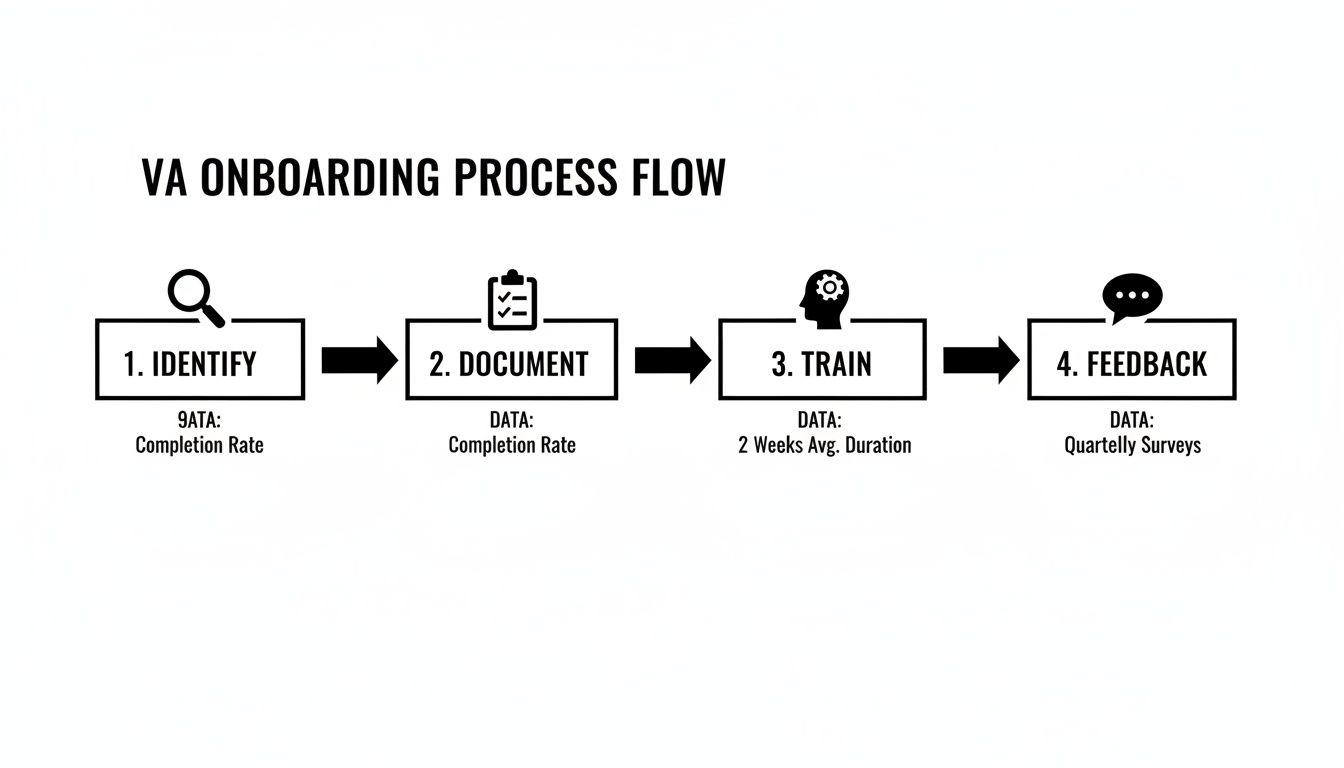
Onboarding Timeline: The First 30 Days
- Week 1: Foundations & Core Tasks. Grant access to essential tools ([Gorgias], [Shopify], etc.) using a password manager. Walk through the first 2-3 priority tasks using your SOPs. Hold brief, 15-minute daily check-ins to answer questions and ensure alignment. Expect lots of questions—this is a good sign.
- Week 2: Building Rhythm & Independence. Reduce check-ins to every other day. Your VA should now be handling their primary tasks with minimal prompting. Introduce 1-2 secondary tasks. Review their work and provide specific, constructive feedback.
- First 30 Days: Ownership & Proactive Support. By the end of the month, your VA should fully own their assigned workflows. Your weekly sync can shift from tactical training to a more strategic review of performance and upcoming priorities. The goal is for them to operate with minimal oversight.
The 7-Step Onboarding Process
- Task Selection: Before your VA starts, identify 3-5 high-impact, rule-based tasks you want to delegate. Examples: processing returns, updating product data, or triaging customer support tickets.
- Task Briefing: For each task, create a simple brief and a Standard Operating Procedure (SOP). A clear "Definition of Done" is crucial. This documentation is your single source of truth and ensures consistency.
- Access & Security: Grant system access securely. Use a password manager ([LastPass], [1Password]) and enable two-factor authentication (2FA) where possible. Adhere to the principle of least privilege—only grant the minimum access required. If possible, create a separate user login for your VA for a clear audit trail.
- Onboarding Week: Kick off with a welcome call to review expectations, tools, and the first set of tasks. Use the daily check-ins to build rapport and create a safe space for questions.
- Cadence & Communication: Establish a clear communication rhythm. Use an asynchronous tool like [Slack] for daily updates and lock in a recurring 15-minute weekly video call to review progress and plan ahead.
- QA & Feedback: Create a tight feedback loop. In the first few weeks, review 100% of the VA’s work. Provide immediate and specific feedback. Instead of "this is wrong," say, "For this type of ticket, please use template B and escalate any pricing questions to me."
- Scaling the Relationship: Once your VA masters the initial tasks, begin introducing more complex responsibilities. Empower them to suggest process improvements and take on more ownership. This is how you transition from simple delegation to true operational leverage.
Delegation Assets (Templates + Scripts)
Effective delegation relies on clear systems, not guesswork. These copy-paste assets are designed to provide structure and ensure your instructions are understood perfectly every time.
Task Brief Template
- Goal: Briefly explain the "why" behind this task. (e.g., Update stock levels for our top 20 SKUs in [Shopify] to prevent overselling.)
- Definition of Done: What does success look like? (e.g., All 20 products have counts matching the inventory report, and a confirmation is posted in the #operations channel.)
- Inputs/Links: Provide all necessary links. (e.g., Link to inventory Google Sheet, link to Shopify product page.)
- Tools: List all required software. (e.g., Shopify Admin, Google Sheets, [Slack].)
- Constraints: Note any rules or limitations. (e.g., Do not change product descriptions. Must be completed by 9 AM ET daily.)
- Examples: Show, don't just tell. (e.g., Here is a 2-minute Loom video of me updating one product.)
- Deadline: When is this due?
- Escalation Rules: Who should the VA contact if they get stuck?
SOP / Checklist Template
SOP Title: Processing Customer Returns in Shopify
- Log in to the customer support inbox ([Gorgias]).
- Open the oldest unread return request email.
- Look up the order number in [Shopify] to verify the purchase date.
- Confirm the request is within the 30-day return window.
- If valid, use the Shopify Returns feature to generate a prepaid shipping label.
- Reply to the customer using the "Return Approved" email template.
- Attach the new shipping label to the email.
- Archive the request email to keep the inbox clean.
- Add a note to the Shopify order: "Return label sent on [Date]."
- Tag the ticket as "Return-Pending."
Communication Cadence Template
- Daily Check-in (Async via Slack):
- VA Morning Post: "Good morning! My top 3 priorities today are: 1. …, 2. …, 3. …. I have no blockers."
- VA End-of-Day Post: "Wrapping up. Today I completed: [list of tasks]. All clear for tomorrow."
- Weekly Sync (15-Minute Live Call):
- Review last week's KPIs (e.g., tickets closed, orders processed).
- Discuss any process bottlenecks or challenges.
- Confirm priorities for the upcoming week.
What to Delegate: Task Checklist
- Manage support tickets (Zendesk, Gorgias)
- Process returns & refunds
- Respond to social media DMs & comments
- Update product listings (descriptions, images, tags)
- Manage inventory levels across platforms
- Add new products to the store
- Process daily orders
- Track shipments & update customers
- Handle order modifications or cancellations
- Schedule social media posts (Buffer, Later)
- Format and schedule email newsletters (Klaviyo, Mailchimp)
- Basic blog post formatting & uploading
- Compile daily/weekly sales reports
- Basic data entry in spreadsheets
- Monitor and respond to product reviews
- Perform competitor research
- Create basic graphics in Canva
- Organize digital files (Dropbox, Google Drive)
Measurement & ROI
Hiring an ecommerce virtual assistant is an investment in efficiency and scale. Tracking a few key metrics will demonstrate the tangible return on that investment, proving its value beyond just a lighter workload.

Suggested KPIs
Focus on these Key Performance Indicators (KPIs) to measure success:
- Hours Saved per Week: The most direct measure of your personal ROI.
- Task Turnaround Time: How quickly are support tickets resolved or orders processed?
- % Tasks Done Without Rework: A high first-pass success rate indicates clear processes and a skilled VA.
- Backlog Size: Is your customer support queue shrinking? A decreasing backlog shows your VA is gaining ground, not just treading water.
- Response-Time Expectations: Are you meeting your service level agreements (SLAs), such as responding to all customer inquiries within 24 hours?
- Time-to-Independence: How long does it take until the VA runs key tasks with minimal oversight? The faster this happens, the faster you realize the full value.
A Simple ROI Framing
Use this formula for a quick financial calculation:
(Hours Saved Per Week × Your Hourly Value) – Weekly VA Cost = Net Weekly Gain
Your "hourly value" is the value you generate when focused on high-leverage activities like strategy, sales, or product development—not what your salary breaks down to. Freeing up even 5-10 hours a week for this work delivers a significant positive return. Explore our pricing options to see how the costs compare.
30-Day Success Scorecard Checklist
- The VA consistently meets deadlines for their 2-3 core tasks.
- Communication follows the established daily and weekly cadence.
- The need for rework on core tasks has significantly decreased since Week 1.
- The VA can now handle at least one core workflow with near-zero oversight.
- I have personally saved at least 5 hours this week.
- The customer support ticket backlog is smaller than it was 30 days ago.
- The VA asks clarifying questions to prevent mistakes instead of making assumptions.
FAQs
What tasks should I delegate first?
Start with high-volume, repetitive tasks that have clear rules. For an ecommerce business, the best starting points are typically customer support triage (answering "where is my order?" tickets), processing daily orders, updating product information in [Shopify], and managing returns. These provide quick wins and free up your time almost immediately.
How do I give access securely?
Never share passwords directly via email or chat. Use a dedicated password manager like LastPass or 1Password to grant access securely. Always follow the principle of least privilege: give your VA access only to the tools and information they absolutely need. Whenever possible, create a unique user account with limited permissions on platforms like [Shopify] or Amazon Seller Central for a clear audit trail.
What’s the difference between a virtual assistant and an executive assistant?
A virtual assistant (VA) is typically focused on business-related tasks and workflows, like order processing or social media scheduling. An executive assistant (EA), whether remote or in-person, is focused on supporting a specific person, managing their calendar, inbox, travel, and personal appointments. While there can be overlap, an ecommerce VA is a business process specialist, whereas an EA is a personal productivity multiplier.
Dedicated VA vs. pooled team—what’s better?
For ongoing, integrated support in an ecommerce business, a dedicated VA is almost always superior. They learn your brand, products, and processes, becoming a true extension of your team. This leads to greater efficiency and proactive support. A pooled team, where tasks are assigned to any available agent, is better suited for anonymous, one-off tasks but lacks the consistency and deep knowledge required for core operational roles.
How does onboarding work and how long does it take?
A proper onboarding takes about 30 days. Week 1 focuses on training, system access, and daily check-ins. Weeks 2-4 are about building independence, reducing oversight, and giving consistent feedback. By the end of the first month, your VA should be handling their primary responsibilities with minimal supervision. Our how our matching process works page explains how we facilitate this.
What happens if my assistant is unavailable?
This is a key advantage of working with a managed service like Match My Assistant. If your dedicated VA is sick or on vacation, we provide access to trained backup support to ensure your critical operations continue without interruption. This built-in redundancy is something you don't get with freelancers.
Is a VA better than hiring in-house for my situation?
For most growing ecommerce businesses, a VA offers the perfect blend of expertise and flexibility. You get access to specialized talent without the high fixed costs, payroll taxes, benefits, and long-term commitment of a full-time employee. As you scale significantly, an in-house hire might make sense, but a VA is the ideal solution for adding capacity quickly and affordably.
Ready to reclaim your time and focus on scaling your ecommerce brand? The right support can take critical operational work off your plate, giving you the bandwidth you need to grow. Talk to our team about getting matched with the perfect ecommerce virtual assistant.