

To delegate work effectively, start with a solid virtual assistant contract template. This simple document clarifies expectations and protects your confidential information, saving you time and preventing dropped balls right from the start. If you're a founder or operator drowning in admin while trying to grow your business, this guide is your playbook.
Key Takeaways
- A virtual assistant contract is a non-negotiable tool for defining the scope of work, payment terms, and confidentiality to prevent misunderstandings.
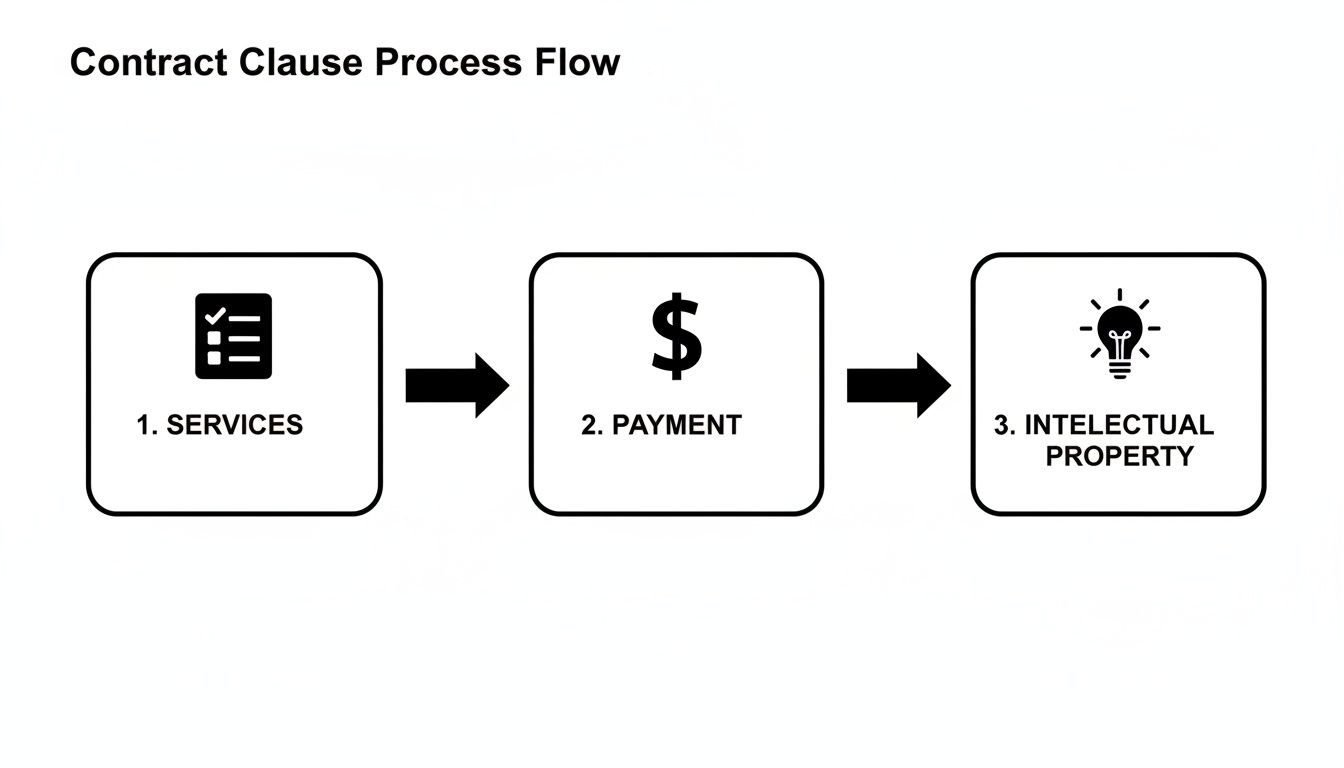
- The core clauses must cover Services, Payment, Confidentiality (NDA), Intellectual Property Ownership, and Termination.
- Use a password manager and the principle of least privilege to grant tool access securely.
- Start with 3–5 low-risk, well-defined tasks to build trust and momentum in the first 30 days.
- Measure success with KPIs like hours saved, task turnaround time, and “time-to-independence.”
- Working with a virtual assistant agency like Match My Assistant handles the contracting process for you, providing a vetted agreement.
Quick Answers
| Question | Answer |
|---|---|
| Is a contract really necessary for a part-time VA? | Absolutely. Even for a few hours a week, a contract protects both parties and clarifies expectations from the start. |
| What's the most important clause? | While all are important, the Confidentiality and Ownership of Work clauses are critical for protecting your intellectual property. |
| What if the VA refuses to sign a contract? | That's a major red flag. A professional VA will understand the need for a contract and should be willing to sign one. |
Summary (TL;DR)
- What to do: Use a clear virtual assistant contract template to define the scope of work, payment terms, confidentiality, and ownership before delegating any tasks.
- What to delegate first: Start with 3-5 low-risk, repeatable tasks like calendar management, inbox triage, data entry, or research to build trust.
- What to expect: A structured onboarding process is key. Expect a daily 15-minute check-in during Week 1, shifting to asynchronous updates and a weekly sync by the end of the first month.
- Common pitfalls: Avoid vague task descriptions, insecure password sharing (use a password manager), and skipping a formal feedback loop.
- Quick timeline: Plan for a 1-week onboarding focused on a single task, a 30-day period to establish routines, and a 90-day goal for your VA to operate with minimal oversight on core tasks.
Step-by-step playbook
Follow this seven-step process to move from a blank template to a productive, long-term partnership with your new virtual assistant.
- Select Initial Tasks: Identify 3–5 high-impact, low-risk tasks to delegate first. Focus on routine work that consumes your time but has a clear process, like calendar management or report generation.
- Create a Task Brief: For the first task, use a detailed brief. Define the goal, the "Definition of Done," and provide all necessary links, tools, and examples. This sets a standard for clarity.
- Set Up Secure Access: Before Day 1, grant access to necessary systems using a password manager like LastPass or 1Password. Adhere strictly to the principle of least privilege—only give access to what is absolutely required.
- Execute the Onboarding Week: Structure the first week for an easy win.
- Week 1: Assign one primary task. Hold a brief, 15-minute daily check-in to answer questions and provide immediate feedback. The goal is building confidence and momentum.
- Week 2: Introduce one or two more recurring tasks. Transition check-ins to every other day, encouraging async communication for routine updates.
- First 30 Days: Your VA should now be handling the initial tasks with minimal oversight. Schedule a 30-day review to discuss progress, refine processes, and plan the next set of responsibilities to delegate.
- Establish a Communication Cadence: Shift from daily meetings to a sustainable rhythm. A 15-minute sync on Monday to set weekly priorities, combined with a daily end-of-day summary via Slack or email, works well for most teams.
- Implement a QA/Feedback Loop: Don't wait for formal reviews. Acknowledge great work promptly in a shared channel. Deliver constructive feedback privately and as soon as an issue arises to prevent small problems from becoming ingrained habits.
- Scale the Relationship: Once the initial tasks are running smoothly (typically after 30-60 days), begin documenting and delegating more complex processes. Revisit the scope of work and update the contract or addendum if responsibilities change significantly.

Delegation assets (templates + scripts)
Use these copy-and-paste assets to ensure clarity from the very first assignment. They bridge the gap between your contract and day-to-day execution.
Task Brief Template
Task Brief: [Name of Task]
- Goal: In one sentence, what are we trying to achieve?
- Definition of Done: How will we know this task is 100% complete? (e.g., "The weekly sales report is saved in the shared Google Drive, and I’ve received a confirmation message in Slack.")
- Inputs/Links: Provide all links to documents, tools, or source materials needed.
- Tools: List the specific software required (e.g., HubSpot, Canva, Google Sheets).
- Constraints: Note any budget limits, brand guidelines, or things to specifically avoid.
- Examples: Link to a past example of this task done well.
- Deadline: [Date and Time], including the specific time zone.
- Escalation Rules: If you get stuck, who should you ask for help and when?
SOP / Checklist Template
SOP Title: How to [Actionable Task Name]
- Log in to [Tool Name] using LastPass.
- Navigate to the [Specific Section or Dashboard].
- Click the [Button Name] to start the process.
- Pull the required data from [Source A] and [Source B].
- Enter the data into fields: [Field 1], [Field 2], [Field 3].
- Double-check all entries against the source material for accuracy.
- Save the entry as a draft for review.
- Send a test or preview to [Your Name] for final approval.
- Once approved, click 'Publish' or 'Send'.
- Update the master tracking sheet to mark the task as complete.
Communication Cadence Template
Weekly Communication Plan
- Daily Check-in (Async): A brief end-of-day summary via Slack or email.
- What I completed today.
- Any roadblocks or questions.
- Top 1-2 priorities for tomorrow.
- Weekly Sync (15-Minute Call): A live call every Monday morning.
- Review priorities for the week ahead.
- Discuss feedback from last week’s work.
- Address any complex questions best suited for a live conversation.
"What to delegate" task list
- Manage and organize your professional calendar.
- Triage your main email inbox, flagging anything urgent.
- Schedule meetings with clients and internal team members.
- Conduct online research for projects or reports.
- Transcribe audio from meetings or webinars.
- Create or format presentations in Google Slides or PowerPoint.
- Proofread important documents and emails before they are sent.
- Handle basic data entry in a CRM like HubSpot or a spreadsheet.
- Book travel arrangements (flights, hotels, rental cars).
- Process and categorize business expenses.
- Create simple graphics for social media using Canva.
- Schedule social media posts.
- Update and maintain contact lists or CRMs.
- Handle online orders and track shipments.
- Prepare and send routine client invoices using PayPal or Wise.
- Manage and organize files in a shared drive.
- Filter and respond to job applications.
- Post updates to your company blog (WordPress).
- Compile data for weekly/monthly reports.
- Manage customer support inquiries via email.
Measurement & ROI
A virtual assistant is an investment in your productivity. Tracking performance isn't about micromanaging; it's about confirming you're getting a positive return on that investment.
Suggested KPIs
- Hours saved per week: The most direct measure of value. How much time did you reclaim?
- Task turnaround time: How quickly are tasks completed from assignment to delivery?
- % tasks done without rework: A measure of quality and clarity. Is the work right the first time?
- Backlog size: Is your list of administrative tasks shrinking?
- Time-to-independence: How long does it take for your VA to run a recurring task with minimal oversight?
Simple ROI Framing
Use this simple formula to quantify the value your VA creates:
(Hours Saved Per Month × Your Approximate Hourly Value) – Monthly VA Cost = Net Value Gained
For example, if a VA saves a [Founder] in [New York] 20 hours per month, and that founder values their time at $200/hour, that’s $4,000 in reclaimed value. Subtract the cost of the managed virtual assistant, and the remainder is your positive ROI.
30-Day Success Scorecard Checklist
- Clarity: Do I feel less overwhelmed and more focused on high-value work?
- Consistency: Are recurring tasks being completed on time without my prompting?
- Communication: Is our communication rhythm effective and low-friction?
- Quality: Does the work consistently meet or exceed my expectations?
- Ownership: Is my VA taking initiative and owning their assigned tasks?
- Trust: Do I feel confident delegating more complex responsibilities?
FAQs
What tasks should I delegate first?
Start with repetitive, time-consuming tasks that have a clear process. Good examples include managing your calendar, triaging your email inbox, scheduling social media posts, and basic data entry. These low-risk tasks help build trust and establish a workflow.
How do I give access securely?
Use a password manager like LastPass or 1Password to share credentials without revealing the actual passwords. Always follow the principle of least privilege: grant access only to the specific tools and files needed for the job. Enable two-factor authentication (2FA) on all critical accounts.
What’s the difference between a virtual assistant and an executive assistant?
A Virtual Assistant (VA) often handles a broader range of administrative, creative, or technical tasks for multiple clients remotely. A remote Executive Assistant (EA) typically works for one executive, focusing on higher-level support like strategic calendar management, preparing for meetings, and acting as a gatekeeper.
Dedicated VA vs pooled team—what’s better?
A dedicated VA works with you consistently, learning your preferences and business over time for a personalized partnership. A pooled team offers broader skill sets and coverage if one person is unavailable, but you may work with different people. For leaders wanting a true right-hand, a dedicated VA is usually better.
How does onboarding work and how long does it take?
A structured onboarding should take about 30 days to get into a rhythm. The first week focuses on one or two simple tasks with daily check-ins. By the end of the first month, your assistant should be handling a core set of recurring tasks independently. At a virtual assistant agency like Match My Assistant, how our matching process works includes a structured onboarding to ensure success.
What happens if my assistant is unavailable?
If you hire a freelancer, you'll need to find a replacement yourself. One key benefit of using managed virtual assistant services is that the agency provides a backup assistant to ensure your critical tasks are still covered during vacations or sick days, preventing disruption.
Is a VA better than hiring in-house for my situation?
A VA is ideal for businesses that need flexible, specialized support without the overhead of hiring a full-time employee (salary, benefits, office space). It’s perfect for delegating 10-20 hours of work per week. If you need 40+ hours of support and deep integration into your company culture, an in-house hire might be a better fit. Check our plans and pricing to compare costs.
Ready to delegate with confidence and skip the contractual headaches? Match My Assistant helps busy professionals get work off their plate through vetted support and a clear onboarding process. Talk to our team to get matched with a reliable assistant and reclaim your time.