

The best next step for a busy real estate professional is to delegate administrative and operational tasks to a specialized virtual assistant for real estate. This strategic move saves you 10+ hours per week, prevents dropped leads, and allows for faster execution without the constant context switching that kills productivity. If you're an agent, broker, or founder drowning in administrative work while trying to grow your business, this guide is for you.
At Match My Assistant, we help clients delegate routine and specialized tasks through vetted support and a clear onboarding process, bringing clarity and consistency to your operations. Our goal is to get work off your plate without the churn and unreliability of random freelancers, backed by a satisfaction guarantee you can trust.
Key Takeaways
- Primary Goal: Delegate administrative, marketing, and transaction coordination tasks to a virtual assistant for real estate to reclaim 10+ hours weekly for revenue-generating activities.
- Top Tasks to Delegate First: Start with CRM management, lead qualification, appointment scheduling, listing coordination, and social media management.
- The Right Approach: Partnering with a virtual assistant agency provides vetted, reliable support and a structured onboarding process, saving you the time and risk of hiring alone.
- Expected Timeline: Expect a 2-4 week onboarding period. You should feel a significant reduction in your administrative load within the first 30 days.
- Key Outcome: Achieve operational consistency, faster client response times, and the bandwidth to scale your business without burning out.
- Core Benefit: A virtual assistant provides the leverage needed to focus on high-value work—closing deals and building client relationships—instead of low-value administrative tasks.
Quick Answers
- What is a real estate virtual assistant?
A real estate virtual assistant is a remote professional who handles administrative, marketing, and operational tasks specifically for real estate agents, brokers, and teams. - What's the main benefit of hiring one?
It frees up your time so you can focus on dollar-producing activities like lead generation, client meetings, and negotiations, leading to direct business growth. - Is it better than hiring in-house?
For most agents and small teams, yes. A virtual assistant is more cost-effective, offers greater flexibility, and eliminates the overhead costs of a full-time employee.
Summary (TL;DR)
For busy real estate professionals, hiring a virtual assistant isn't a luxury—it's a core business strategy for scaling efficiently. Here's the high-level summary of what you need to know.
- What to do first: Identify 3–5 repetitive, time-consuming tasks in your workflow. Common starting points are inbox management, CRM data entry, and appointment scheduling.
- What to delegate: Hand off high-volume, low-complexity tasks first. This includes lead qualification, social media scheduling, preparing listing documents, and basic transaction coordination follow-ups.
- What to expect: Plan for a 2-4 week onboarding period where you provide clear instructions and are available for questions. By day 30, your VA should be operating with significant autonomy on core tasks.
- Common pitfalls to avoid: The biggest mistakes are providing vague instructions and failing to establish a communication rhythm. Use templates and schedule regular check-ins to ensure clarity and alignment.
- A quick timeline for results: You should feel the administrative load lighten within the first week. Within 30 days, you should have several hours back in your calendar each week and see fewer operational details falling through the cracks.

Step-by-Step Playbook
A successful partnership with a virtual assistant hinges on a structured onboarding process. This playbook breaks down the critical steps to integrate your VA smoothly, turning them into a high-impact team member who can operate independently.
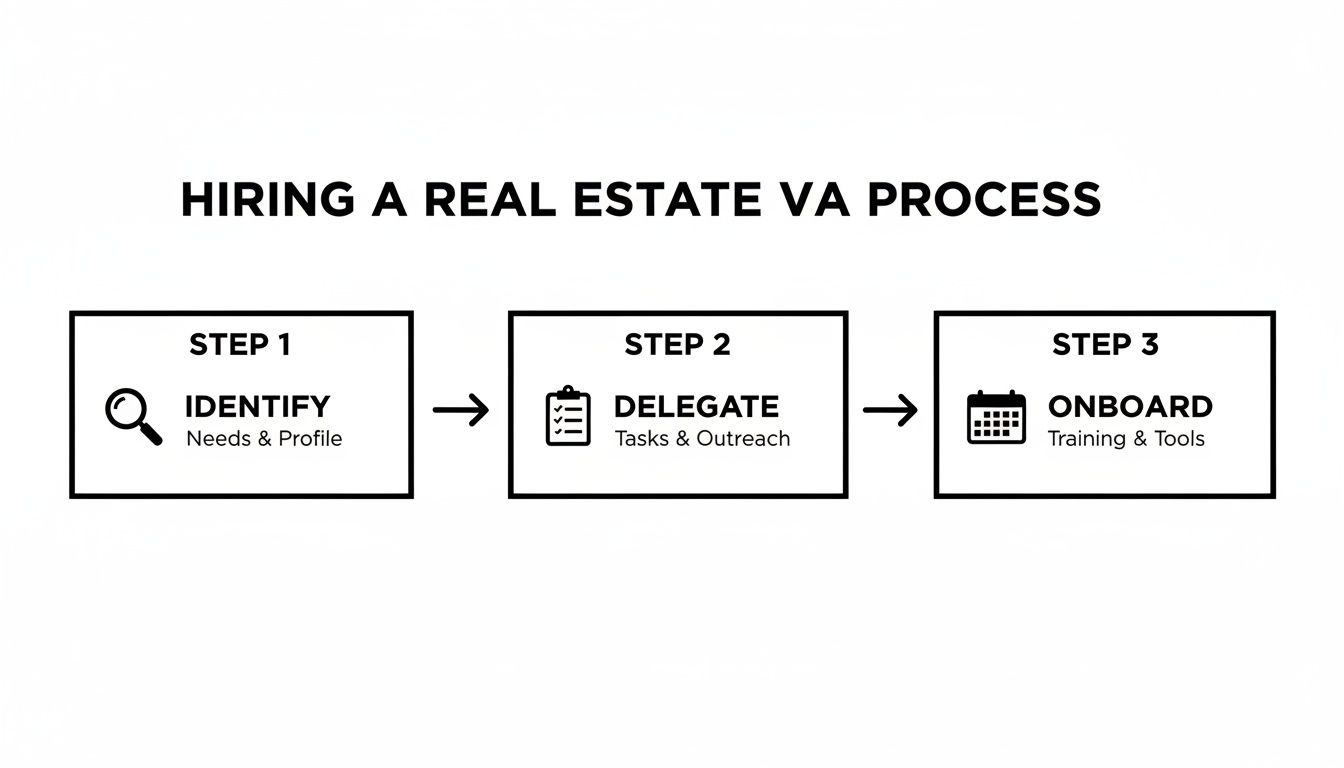
- Task Selection → Identify Your Top 3 Delegation Priorities: Before your VA starts, choose 3-5 high-impact, repeatable tasks. Good candidates are tasks that are critical but don't require your direct expertise, like managing your calendar or updating your CRM.
- Task Briefing → Create "How-To" Guides: For each task, create a simple Standard Operating Procedure (SOP) or a screen recording using a tool like Loom. Clearly define the goal, steps, tools needed, and what "done" looks like.
- Access/Security → Grant Secure Access to Tools: Never share master passwords. Use a password manager like LastPass or 1Password to grant access. Follow the principle of least privilege: give access only to what is absolutely necessary for their role. Where possible, create separate user accounts with limited permissions.
- Onboarding Week → Focus on Orientation, Not Overwhelm: The first week is for learning your communication style, core tools, and the first 1-2 tasks. Don't overload them. The goal is to build a foundation of confidence and clarity.
- Cadence/Communication → Establish a Check-In Rhythm: Set up a brief, 15-minute daily check-in for the first week to answer questions quickly. After that, shift to a weekly sync call for planning and use an asynchronous tool like Slack or email for daily updates.
- QA/Feedback → Implement a Review Loop: Review your VA’s first few completed tasks promptly. Provide specific, constructive feedback focused on refining the process. This helps them learn your preferences and ensures quality standards are met from day one.
- Scaling the Relationship → Gradually Increase Responsibility: Once your VA masters the initial tasks (typically within 2-4 weeks), begin delegating more complex responsibilities. This could include drafting client communications, managing marketing campaigns, or coordinating with vendors.
Simple Onboarding Timeline
- Week 1: Focus on setup, tool access, and mastering 1-2 core tasks. Hold daily 15-minute check-ins to resolve roadblocks quickly.
- Week 2: Introduce 1-2 additional tasks. Your VA should handle the initial tasks with more independence. Shift from daily calls to asynchronous updates plus one weekly sync.
- First 30 Days: Your VA should be running all core delegated tasks with minimal oversight. You should feel a tangible reduction in your workload and see increased operational consistency.
For a deeper look into the process, explore our complete guide on how to hire a virtual assistant.
Delegation Assets (Templates + Scripts)
Effective delegation relies on clear communication. These copy-paste templates provide the structure needed to hand off tasks confidently, ensuring your virtual assistant for real estate knows exactly what success looks like.

Task Brief Template
Use this one-page brief for new or one-off assignments.
- Goal: What is the ultimate purpose of this task?
- Definition of Done: What does a completed and successful task look like? Be specific.
- Inputs/Links: Provide all necessary links to documents, tools, or source materials.
- Tools: List the software or platforms required (e.g., MLS, Follow Up Boss, Canva).
- Constraints: Note any rules, budget limits, or non-negotiables.
- Examples: Link to a past example of a well-done version of this task.
- Deadline: Provide a clear due date and time.
- Escalation Rules: If you get stuck, who should you ask, and how?
SOP / Checklist Template (New Listing Launch)
Use this for recurring, multi-step processes.
- Create new client folder in Google Drive with standard naming convention
[Address] - [Client Name]. - Draft listing agreement and send for e-signature via DocuSign.
- Schedule photographer and stager; send calendar confirmations to all parties.
- Order "For Sale" sign installation for the day before the listing goes live.
- Compile all required documents (seller's disclosure, HOA docs) in the client folder.
- Draft compelling property description and private MLS remarks for review.
- Enter all listing data into the MLS and save as a draft.
- Create "Just Listed" social media graphics in Canva using approved templates.
- Schedule social media posts for launch day on Instagram and Facebook.
- Notify the transaction coordinator of the upcoming listing.
Communication Cadence Template
- Daily Async Check-in (via Slack or Email):
- To be sent by VA by 9:00 AM:
- Priorities for today: [List top 3]
- Roadblocks: [Any questions or stuck points?]
- Completed yesterday: [Confirmation of key tasks finished]
- To be sent by VA by 9:00 AM:
- Weekly Sync (15-Minute Video Call on Mondays):
- Agenda:
- Review of last week's wins and challenges.
- Align on priorities for the upcoming week.
- Discuss any process improvement ideas.
- Open Q&A.
- Agenda:
"What to Delegate" Task List
Here are over 20 tasks a real estate virtual assistant can take off your plate.
Administrative & Scheduling
- Manage email inbox and calendar.
- Schedule showings, inspections, and client appointments.
- Confirm all appointments 24 hours in advance.
- Prepare listing and buyer agreements for signature.
- Handle routine client communication and follow-up.
Listing & Transaction Coordination
- Prepare listing presentation materials.
- Input new listings into the MLS.
- Create property flyers and marketing brochures.
- Coordinate with photographers, stagers, and inspectors.
- Update transaction checklists and timelines in your project management tool.
- Follow up with lenders, title companies, and other agents for required documents.
Marketing & Lead Management
- Manage and clean your CRM database.
- Perform initial qualification of incoming web leads.
- Schedule social media content (e.g., "Just Listed," "Under Contract").
- Manage and deploy email marketing newsletters.
- Update single property websites or landing pages.
- Research local market data for content creation.
Back-Office Support
- Perform basic expense tracking and bookkeeping.
- Generate weekly pipeline and activity reports.
- Research and order client closing gifts.
Measurement & ROI
Hiring a virtual assistant is an investment in your business's efficiency and capacity. Tracking the right metrics will demonstrate the tangible return on this investment, moving beyond a "feeling" of being less busy to quantifiable business improvements.
Suggested KPIs
Track these Key Performance Indicators (KPIs) to measure success:
- Hours Saved per Week: The most direct measure of ROI. Keep a log for one week of all tasks delegated and estimate the time it would have taken you.
- Task Turnaround Time: How long from delegation to completion? This measures your VA’s efficiency and the clarity of your systems.
- % Tasks Done Without Rework: A high percentage here indicates clear instructions and a competent assistant.
- Backlog Size: Is your list of administrative to-dos shrinking? This is a key indicator of progress.
- Response-Time Expectations: If your VA handles lead intake, measure the average time to first response.
- Time-to-Independence: How long does it take for your VA to manage core tasks with minimal oversight? A decreasing timeline is a sign of a successful partnership.
A Simple ROI Framing
To put a dollar value on your VA's contribution, use this simple formula:
(Hours Saved per Week × Your Hourly Value) – Weekly VA Cost = Weekly ROI
For example, if you value your time at $150/hour and your VA saves you 10 hours a week, you've reclaimed $1,500 worth of your time to focus on high-value activities like client acquisition and closing deals. You can learn more about our plans and pricing to calculate your specific ROI.
30-Day Scorecard Checklist
Use this checklist at the end of the first month to evaluate progress:
- Task Accuracy: Are core tasks completed correctly the first time?
- Proactivity: Has the VA started anticipating needs or suggesting improvements?
- Communication: Is the communication cadence being followed consistently?
- Tool Proficiency: Is the VA comfortable navigating your core tools (CRM, MLS, etc.)?
- Independence: Is the VA managing their core responsibilities with less prompting than in Week 1?
FAQs
Here are concise answers to the most common questions from busy professionals considering a virtual assistant.
What tasks should I delegate first?
Start with high-volume, low-complexity tasks to get quick wins. The best first tasks are typically CRM data entry, calendar management and appointment scheduling, and social media posting. These free up significant time with minimal training.
How do I give access securely?
Use a password manager like LastPass or 1Password to share credentials without revealing passwords. Always follow the principle of least privilege, granting access only to the tools necessary for the job. For systems like your CRM, create a separate user account with limited permissions.
What’s the difference between a virtual assistant and an executive assistant?
A virtual assistant (VA) typically handles a broader range of administrative and marketing tasks remotely. A remote executive assistant (EA) is often more specialized, focusing on high-level support for a single leader, including complex calendar management, communication filtering, and project management.
Dedicated VA vs pooled team—what’s better?
A dedicated VA works exclusively with you or a small number of clients, leading to deep knowledge of your business and preferences. A pooled team means tasks are handled by whoever is available, which can be good for simple, one-off tasks but lacks the consistency and proactive support of a dedicated relationship. For building scalable systems, a dedicated VA is almost always better.
How does onboarding work and how long does it take?
A structured onboarding process takes about 2-4 weeks. How our matching process works is we first pair you with a vetted assistant, then guide you through the first 30 days. The first week focuses on tool access and 1-2 core tasks. By the end of the first month, your VA should be operating with significant autonomy.
What happens if my assistant is unavailable?
This is a key differentiator between hiring a freelancer and using a virtual assistant agency. With a freelancer, you have no backup. A managed service like Match My Assistant provides business continuity; if your primary assistant is sick or on vacation, a trained backup assistant can step in to handle critical tasks.
Is a VA better than hiring in-house for my situation?
For most individual agents and small to mid-sized teams, a VA is a more cost-effective and flexible solution. You get specialized support without the overhead costs of salary, benefits, and office space associated with an in-house employee. It's an ideal way to scale support as your business grows.
Ready to reclaim your time and focus on what you do best? Match My Assistant provides vetted, reliable virtual assistant services with a proven process to get work off your plate. To learn more about our flexible support options and clear onboarding, talk to our team today.