

For busy professionals, the fastest way to reclaim your time and ensure data accuracy is to hire a vetted virtual data-entry assistant through a managed service. This move saves you from mind-numbing administrative work, prevents costly errors, and frees you to focus on growing your business instead of getting lost in spreadsheets. If you’re a founder or manager drowning in admin while trying to execute on bigger goals, this guide is for you.
Key Takeaways
- What to do next: Partner with a virtual assistant agency to get a vetted assistant without the risk of freelance marketplaces.
- First tasks to delegate: Start with high-volume, repetitive tasks like CRM updates, data cleanup, and transcribing notes.
- Onboarding timeline: Expect your assistant to learn your core tasks in the first week and work independently within 30 days.
- Security is non-negotiable: Use a password manager and create separate user accounts to grant secure access.
- Measure success: Track hours saved and task accuracy to calculate a clear return on investment (ROI).
- Why it matters: A reliable virtual data-entry assistant gives you back hours of high-value time and ensures critical data is handled correctly.
Summary (TL;DR)
For any busy professional, the goal isn't just to find temporary help—it's to build a reliable system that takes data entry off your plate for good. Here's your quick-start guide to successfully handing off those time-consuming tasks.
- What to Do: The smartest move is to partner with a virtual assistant agency like Match My Assistant. This sidesteps the churn of freelance sites and connects you with a vetted professional backed by a support system and a satisfaction guarantee.
- What to Delegate: Start with high-volume, repetitive tasks. Prime examples are CRM updates, data cleanup in spreadsheets, transcribing meeting notes, and building prospect lists from online sources.
- What to Expect: A solid onboarding process is key. Your assistant should be learning your core tasks within the first week and operating with increasing independence over the first 30 days.
- Common Pitfalls: The biggest roadblocks are unclear instructions and insecure access. Dodge both by creating simple task briefs (templates below) and using a password manager to share credentials safely.
- Quick Timeline: Plan to spend the first week on setup and training for 1-2 core tasks. By the end of the first month, your new virtual data-entry assistant should be handling their main responsibilities with minimal daily input.
Step-by-Step Playbook for Onboarding Your Assistant
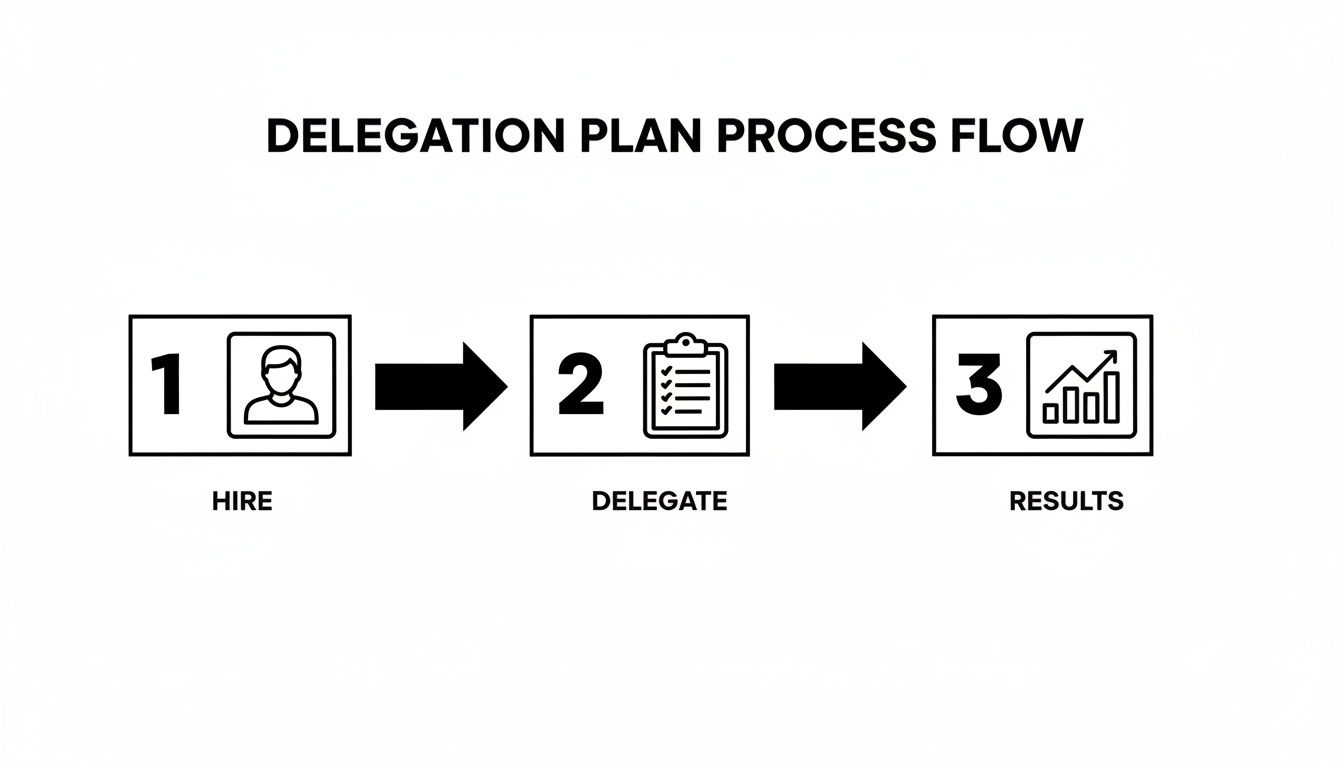
Bringing a new virtual data-entry assistant on board should be a methodical process, not a headache. This seven-step playbook will help you integrate your new assistant so they become a productive team member within the first 30 days. The point is to create a repeatable system: hire right, delegate effectively, and get measurable results.
Step 1: Select Your First Delegation Tasks
Before you delegate, you must know what to delegate. Look for tasks that are high-volume, repetitive, and follow a clear set of rules.
Task Examples:
- Updating customer information in your Customer Relationship Management (CRM) system.
- Copying data from email attachments into a Google Sheet.
- Scrubbing and standardizing contact lists for a marketing campaign.
- Transcribing audio from meetings into text documents.
Pick 3–5 priority tasks to start. This keeps the initial onboarding focused and creates early wins.
Step 2: Create a Clear Task Brief
Clarity is everything. A task brief is a one-page document explaining how to do a task, so your assistant isn't left guessing. Vague instructions lead to rework and frustration. A clear brief, using the template below, prevents this.
Step 3: Grant Secure Access
This is non-negotiable: never share your personal master passwords. Use a password manager like 1Password or LastPass to grant secure access to only the tools your assistant needs. This follows the principle of least privilege—giving access only to what's required for the job. Whenever possible, create a separate user account for your assistant in your software to create an audit trail and make it easy to revoke access later. Enable Two-Factor Authentication (2FA) on all critical accounts.
Step 4: Follow the Onboarding Week Timeline
The first week is about establishing momentum, not achieving perfection. The goal is to get systems set up and have them successfully complete one or two core tasks.
- Week 1: Set up tools and security access. Train on 1-2 core data-entry tasks. Hold brief, 15-minute daily check-ins to review work and answer questions. A "win" for this week is successful task completion, even with heavy guidance.
- Week 2: Introduce 2-3 more tasks and reduce check-ins to every other day. Start documenting processes in a shared space. The goal is for them to run tasks with less hand-holding.
- First 30 Days: By the end of the month, your assistant should handle all core data-entry work with minimal intervention. Move to a single 30-minute sync call each week. The system should now largely run itself.
Step 5: Establish a Communication Cadence
A predictable communication rhythm keeps everyone aligned without constant interruptions. Avoid random emails and direct messages.
- Daily Async Update: A quick message at the end of their day in Slack or via email covering what they completed, any roadblocks, and what’s planned for tomorrow.
- Weekly Sync: A 15-30 minute video call to review the week's work, set priorities for the next week, and discuss process improvements.
Step 6: Implement a QA and Feedback Loop
Mistakes will happen, especially early on. The key is to have a system for catching and fixing them. Instead of fixing errors yourself, document the correction and update the Standard Operating Procedure (SOP). This turns a mistake into a training opportunity that strengthens your entire delegation system.
Step 7: Scale the Relationship
Once your virtual data-entry assistant has mastered their initial tasks, slowly introduce more complex work. This could include compiling weekly reports from raw data, performing light data analysis, or managing larger database cleanup projects. This gradual increase in responsibility allows them to grow with your business and deliver even more value.
Delegation Assets (Templates + Scripts)
Effective delegation is about giving your virtual data-entry assistant the right tools to succeed. These copy-and-paste templates are your shortcut to clear communication, eliminating guesswork and creating a repeatable system for getting work done right.
Task Brief Template
A solid task brief is the most important document for delegation. It answers key questions upfront, saving you from endless back-and-forth messages.
- Goal: What is the purpose of this task? (e.g., "To ensure our CRM has accurate contact info for every new lead.")
- Definition of Done: How will I know the job is 100% finished and correct? (e.g., "All new leads from our web form are in the CRM with correct spelling, title, and company details within 4 business hours.")
- Inputs/Links: Where does the information to start this task live? (e.g., Link to the lead spreadsheet, link to the CRM.)
- Tools: What software will be used? (e.g., HubSpot, Google Sheets, Slack.)
- Constraints: Are there any specific rules or things to avoid? (e.g., "Do not modify any existing records not on the 'New Leads' list.")
- Examples: Can you show me what a finished result looks like? (e.g., Link to a perfectly entered contact record.)
- Deadline: What is the expected turnaround time? (e.g., "All leads submitted by 4 PM ET must be entered by the end of your day.")
- Escalation Rules: Who should I ask if something is missing or unclear? (e.g., "If a lead is missing a company name, tag [Your Name] in the #data-entry Slack channel.")
SOP / Checklist Template (Adding New Leads to CRM)
An SOP turns a task into a repeatable checklist, ensuring consistency.
- Open the "New Inbound Leads" Google Sheet.
- Log in to the CRM using credentials from 1Password.
- For each lead, search the CRM to prevent duplicates.
- If the contact exists, update their record with new information.
- If the contact does not exist, click "Add New Contact."
- Copy and paste
First Name,Last Name,Email,Company, andTitleinto the correct fields. - Set "Lead Status" to "New."
- Set "Lead Source" to "Website Form."
- Double-check all fields for spelling and formatting.
- Click "Save."
- In the Google Sheet, mark the row as "Processed" (e.g., change cell color to green).
- Repeat for the next lead.
Communication Cadence Template
A predictable communication schedule prevents interruptions while keeping everyone aligned.
Daily End-of-Day Check-In (Async via Slack/Email)
- Done Today: [List of tasks completed]
- Roadblocks: [Any issues that slowed progress]
- Plan for Tomorrow: [Top 1-3 priorities]
15-Minute Weekly Sync (Live via Video Call)
- Review Last Week: Quick look at key results. (5 mins)
- Set This Week's Priorities: What are the most important goals? (5 mins)
- Process Improvements: Any ideas for making things run smoother? (5 mins)
"What to Delegate" Task List
Use this checklist to identify potential tasks for your virtual data-entry assistant.
- Update CRM with new leads and customer information.
- Clean and de-duplicate contact lists.
- Transcribe meeting notes or audio recordings.
- Transfer data from PDFs or images into spreadsheets.
- Research and compile prospect lists.
- Enter expense receipts into accounting software.
- Update inventory records or product listings.
- Format reports and presentations.
- Monitor social media for brand mentions and log them.
- Process online orders or customer forms.
- Schedule social media posts from a content calendar.
- Manage and organize digital files.
- Prepare and send out email newsletters from a template.
- Collate survey results into a summary sheet.
- Verify data accuracy across multiple systems.
Measurement & ROI
Delegating data entry is a business decision, and you need to know if it's paying off. Tracking a few simple metrics will show you the impact your virtual data-entry assistant is having.
Suggested KPIs
Focus on these Key Performance Indicators (KPIs) to measure performance.
- Hours Saved/Week: The most direct measure of ROI. A good engagement should free up at least 5–10 hours of your time weekly after the first month.
- Task Turnaround Time: How long it takes from assignment to completion. This should decrease as your assistant learns your workflows.
- % Tasks Done Without Rework: A crucial quality metric. Aim for 98%+ accuracy on routine tasks after the initial onboarding period.
- Backlog Size: Is that nagging list of data tasks finally shrinking? A decreasing backlog is a clear sign of success.
- Time-to-Independence: How quickly your assistant can operate without your direct oversight. The goal is to reduce your management time to under 30 minutes per day after the first 30 days.
A Simple ROI Framing
The return on your investment is about the value of the time you reclaim.
(Hours Saved per Week × Your Hourly Value) – Weekly VA Cost = Net Weekly Value
For example, if you get back 10 hours a week and value your time at $150/hour, that's $1,500 in reclaimed value. Subtract the cost of your virtual assistant services, and the remainder is your net gain.
30-Day Scorecard Checklist
At the end of the first month, run through this checklist. "Yes" to most of these indicates a successful partnership.
- Are deadlines being met consistently without reminders?
- Is our agreed-upon communication cadence being followed?
- Is work accuracy at or above 98% for core tasks?
- Have they started to ask proactive questions to improve processes?
- Am I spending less than 30 minutes a day managing them?
- Do I feel less bogged down by administrative tasks?
- Is the data backlog visibly smaller than it was 30 days ago?
FAQs
Here are straightforward answers to common questions from busy professionals considering a virtual data-entry assistant.
Quick Answers
- What tasks should I delegate first? Start with high-volume, repetitive tasks like CRM updates, data cleanup, and list building to get quick wins.
- How do I give access securely? Use a password manager (like 1Password or LastPass), create separate user accounts with limited permissions, and enable 2FA.
- Dedicated VA vs. pooled team? For ongoing data entry, a dedicated VA is better because they learn your specific business context, leading to higher consistency and accuracy.
1. What tasks should I delegate first?
Start with tasks that are rule-based and repetitive. Good first tasks include updating your CRM, cleaning up spreadsheets, building prospect lists from defined sources, and transcribing meeting notes. Pick 3-5 to build momentum.
2. How do I give access securely?
Never share your master passwords. Use a password manager like 1Password to share credentials securely. When possible, create separate, role-based user accounts for your assistant within your software and always enable Two-Factor Authentication (2FA) for critical systems.
3. What’s the difference between a virtual assistant and an executive assistant?
A virtual data-entry assistant is a specialist focused on the speed and accuracy of managing information in spreadsheets, databases, and CRMs. A remote executive assistant typically has a broader, more strategic role managing calendars, inboxes, and travel to support a leader directly.
4. Dedicated VA vs. pooled team—what’s better?
For data entry, a dedicated virtual assistant is almost always superior. A dedicated assistant learns the nuances of your business, leading to greater accuracy and consistency. A pooled team can work for one-off tasks but requires you to re-explain your process every time, defeating the purpose of delegation.
5. How does onboarding work and how long does it take?
Onboarding should be structured. In Week 1, focus on tool setup and training on 1-2 core tasks. By the end of the first 30 days, your assistant should be handling their main responsibilities independently, requiring only a brief weekly sync. For more detail, see how our matching process works.
6. What happens if my assistant is unavailable?
This is a key advantage of working with a virtual assistant agency. If your primary assistant is sick or on vacation, a trained backup can step in to handle critical tasks, ensuring business continuity. A solo freelancer cannot offer this.
7. Is a VA better than hiring in-house for my situation?
For most small businesses, a virtual assistant offers a better ROI for data entry roles. You avoid the high overhead costs of a full-time employee (benefits, payroll taxes, equipment) and gain flexibility to scale support up or down based on your needs. Check our pricing options to see how this compares.
Ready to get data entry off your plate so you can focus on growing your business? The team at Match My Assistant connects you with a vetted, professional assistant who fits your workflow. To learn more about our flexible support options and get matched with the right talent, talk to our team today.