

An appointment setter turns potential leads into confirmed sales meetings, freeing you up to focus on closing deals and growing your business. By delegating lead qualification and calendar management, you save time, reduce context switching, and ensure no sales opportunity falls through the cracks. If you're a founder or business operator drowning in administrative tasks while trying to scale, outsourcing appointment setting is your next move.
Key Takeaways
- Core Function: An appointment setter's primary role is to qualify potential customers and schedule meetings for the sales team.
- Key Tasks: Their daily work includes lead research, multi-channel outreach (email, phone, LinkedIn), scheduling, and CRM updates.
- Why Delegate: Outsourcing this role saves senior team members dozens of hours per week, creates a predictable sales pipeline, and shortens the sales cycle.
- Best Path: A managed virtual assistant service offers a faster, more flexible, and lower-risk alternative to hiring an in-house employee.
- ROI: The return is measured in hours saved, increased sales opportunities, and the value of keeping your core team focused on high-value work.
Summary (TL;DR)
- What to Do Next: Decide which lead qualification and scheduling tasks you can offload and document them in a simple task brief.
- What to Delegate: Start with low-risk tasks like lead list cleanup and prospect research before moving to live outreach and scheduling.
- What to Expect: In the first 30 days, a vetted virtual assistant should be able to manage their workflow independently, keep your CRM updated, and consistently book qualified meetings.
- Common Pitfalls: Avoid vague instructions, inconsistent communication, and failing to provide secure access to necessary tools like your CRM and calendar.
- Quick Timeline: Expect to be matched with a pre-vetted assistant in a few days. Week 1 is for training, Week 2 is for supervised outreach, and by Day 30, they should be operating with minimal oversight.
Quick Answers
What is the main goal of an appointment setter?
To systematically convert potential leads into confirmed, qualified sales meetings for a sales team or business owner.Is an appointment setter a sales role?
It's a pre-sales or sales development role. They focus on the top of the funnel—qualifying leads and setting meetings—rather than closing deals.Can a virtual assistant be an appointment setter?
Yes, this is a perfect specialized role for a remote executive assistant or VA, especially through a virtual assistant agency that vets for sales support skills.
Step-by-Step Playbook for Delegating Appointment Setting
Follow this process to delegate appointment setting effectively, creating a system that builds a predictable sales pipeline without constant oversight. This structured approach helps a managed virtual assistant get up to speed quickly and deliver consistent results.
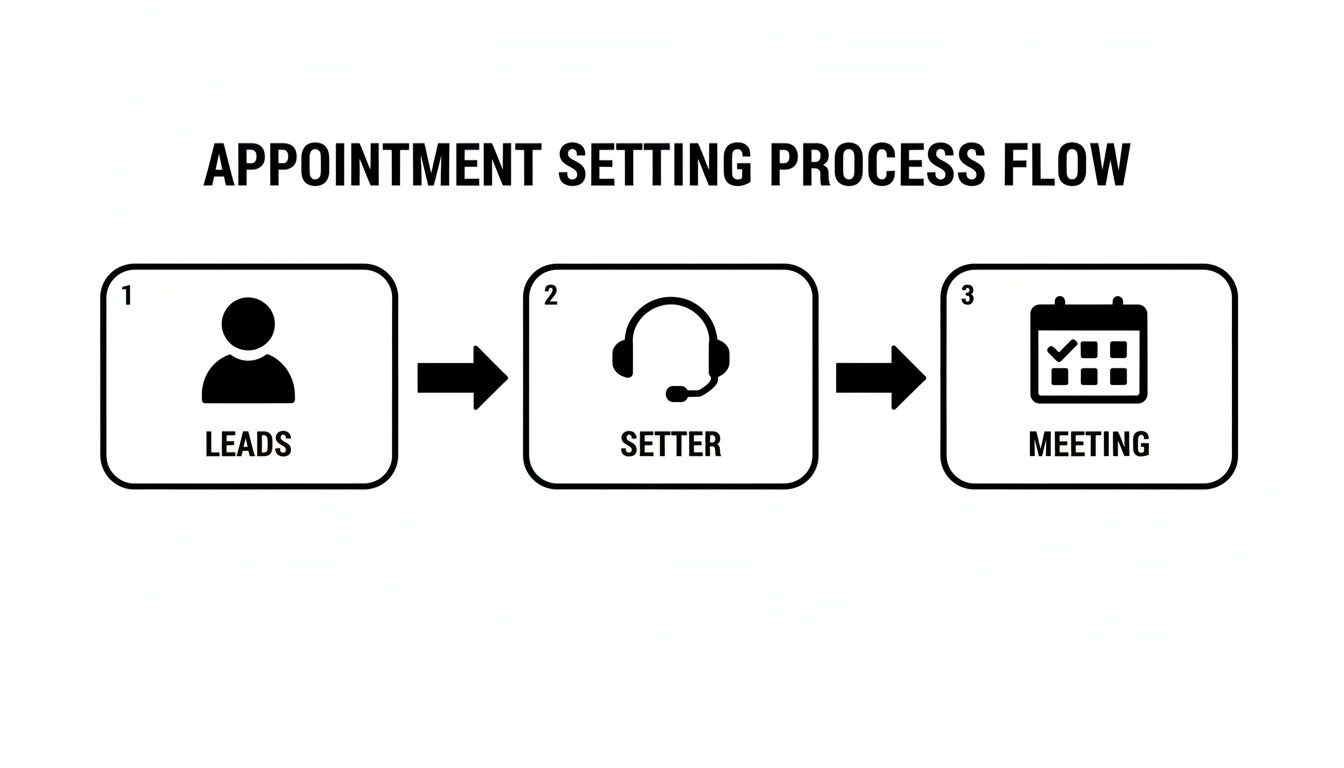
1. Task Selection (Start Small)
Begin with 3–5 high-value, low-risk tasks. Instead of live cold calling, start with lead list cleanup, prospect research on LinkedIn, or enriching a contact database. This builds trust and lets the assistant learn your Ideal Customer Profile (ICP) safely.
2. Task Briefing (Create Clarity)
For each task, create a one-page brief. Vague instructions are the #1 cause of failure. Your brief should clearly state the goal, the Definition of Done (DoD), and provide all necessary links and examples. This is non-negotiable for success.
3. Access & Security (Grant Securely)
Your assistant will need access to your calendar and Customer Relationship Management (CRM) tool. Use a password manager like LastPass to grant access without sharing raw passwords. Adhere to the principle of least privilege: grant only the minimum access required to perform the job. Enable two-factor authentication (2FA) wherever possible.
4. Onboarding Week (Train the System)
The first week is about system training, not just task execution. The goal is to set clear expectations for communication, tool usage, and processes.
- Week 1: Focus on system training. The VA reviews your task briefs and Standard Operating Procedures (SOPs), gets familiar with your CRM, and completes the initial low-risk tasks. Hold a daily 15-minute check-in.
- Week 2: Begin supervised action. The VA starts outreach on a small batch of 20–30 leads. Review their work daily to provide quick feedback.
- First 30 Days: Drive toward independence. By the end of the first month, the VA should manage their daily workflow, update the CRM without reminders, and schedule appointments with minimal hand-holding.
5. Cadence & Communication (Set the Rhythm)
Establish a predictable communication schedule. After the first week of daily syncs, shift to a 30-minute weekly review call. Use asynchronous tools like Slack or email for routine updates and questions to avoid constant interruptions.
6. QA & Feedback (Inspect What You Expect)
Review a sample of your assistant's logged activities in the CRM at the end of each day for the first two weeks. Provide specific, constructive feedback. Instead of "good job," say, “Great work finding the decision-maker. Next time, please also add their direct phone number to the contact record.”
7. Scaling the Relationship (Grow Intelligently)
Once your assistant consistently meets expectations, gradually expand their responsibilities. They can start handling inbound lead qualification, managing appointment reschedules, or preparing pre-meeting briefing documents for the sales team. This turns simple delegation into a powerful, long-term operational partnership.
Delegation Assets: Templates & Scripts for Appointment Setting
Use these copy-paste templates to provide clarity and ensure consistency from day one. These assets are the foundation of a successful delegation system, removing guesswork and empowering your assistant to act confidently.
Task Brief Template
- Goal: Book 5 qualified meetings per week with [VPs of Marketing] at [SaaS companies].
- Definition of Done (DoD): A meeting is accepted on the sales rep's calendar, and the prospect's contact record in the CRM is fully updated with call notes.
- Inputs/Links: Link to the lead list (Google Sheet), email templates (Google Doc), and CRM view.
- Tools: [LinkedIn Sales Navigator], [HubSpot CRM], [Calendly].
- Constraints: Do not contact existing customers. Limit follow-ups to 4 emails and 2 calls per prospect.
- Examples: Link to a perfectly logged CRM entry. Provide examples of a "qualified" vs. "unqualified" lead.
- Deadline: N/A (Ongoing).
- Escalation Rules: For technical issues with the CRM, contact [IT Support]. For questions about lead qualification, ask me via Slack.
SOP / Checklist Template: Daily Outreach Process
- Review yesterday's replies and follow-ups in the CRM.
- Open the "New Leads" view in the CRM for today's assignment.
- Research the first 10 leads on LinkedIn to find a personalization point (e.g., recent post, company news).
- Enroll the 10 leads in the "Cold Outreach – Wave 1" email sequence.
- Log all activity in the CRM immediately.
- For leads that open the email twice but don't reply, schedule a follow-up call for tomorrow.
- Respond to any positive replies with the Calendly booking link.
- Once a meeting is booked, change the lead status to "Meeting Scheduled."
- Send a confirmation email 24 hours before the meeting.
- Prepare a 1-paragraph pre-meeting brief for the sales rep in the calendar invite.
Communication Cadence Template
- Daily Async Check-in (via Slack):
- Yesterday's Progress: (e.g., "Sent 40 emails, had 3 positive replies.")
- Today's Focus: (e.g., "Following up with warm leads, researching 20 new prospects.")
- Blockers: (e.g., "None," or "I need clarification on qualifying leads in the [Finance] industry.")
- Weekly 30-Min Sync (via Video Call):
- Review weekly KPIs (dials, emails, meetings set).
- Discuss 1-2 successful conversations and 1-2 challenging ones.
- Review feedback on meeting quality from the sales team.
- Set priorities for the upcoming week.
What to Delegate: Appointment Setter Task List
- Clean and segment lead lists in a spreadsheet or CRM.
- Research prospects on LinkedIn to verify titles and find personalization points.
- Enrich contact records with missing data (e.g., direct phone numbers).
- Send initial cold outreach emails using approved templates.
- Send LinkedIn connection requests and messages.
- Make initial qualification calls using a provided script.
- Follow up with prospects who have shown interest but haven't booked.
- Respond to inbound inquiries from the website or email.
- Schedule meetings on the sales team's calendar.
- Send meeting confirmation and reminder emails.
- Reschedule appointments as needed.
- Update lead statuses and notes in the CRM after every interaction.
- Prepare one-page pre-meeting briefing documents for the sales team.
- Manage and clean the sales pipeline in the CRM.
- Report on weekly activity (calls, emails, meetings booked).
Measurement & ROI
Delegating appointment setting is an investment in operational leverage. To ensure it pays off, you must track a few key metrics that connect the assistant's activity to business outcomes.

Suggested KPIs
- Hours Saved per Week: How much time is this taking off your plate or your sales team's plate?
- Task Turnaround Time: How quickly are leads being processed from assignment to first contact?
- Appointments Set per Week/Month: The primary output metric.
- Meeting Show-Up Rate: The percentage of set appointments that occur. A low rate may indicate poor qualification or a weak confirmation process.
- % of Meetings Deemed "Sales-Qualified": The ultimate measure of quality. What percentage of meetings does your sales team agree were with a legitimate, qualified prospect?
- Time-to-Independence: How many weeks until the assistant can run their tasks with minimal daily oversight?
Simple ROI Framing
The true return on investment (ROI) comes from both time savings and new business. Use this simple formula to frame the value:
(Hours Saved × Your Hourly Value) + (Value of New Sales Opportunities) – VA Cost = Total ROI
Even before a single deal closes, the value of buying back 10+ hours of a founder's or salesperson's time each week is substantial. This is time that can be reinvested into strategy, product, or closing high-value deals—activities that only they can do.
30-Day Success Scorecard Checklist
Use this checklist at the end of the first month to evaluate performance beyond just the numbers.
- The VA consistently follows documented SOPs.
- CRM records are updated accurately and in real-time.
- Communication is proactive and clear.
- Feedback is received well and implemented quickly.
- The quality of booked meetings meets the defined criteria.
- The VA operates with minimal daily hand-holding.
- The sales team feels more prepared for their calls.
FAQs About Outsourced Admin Support
Here are the most common questions we hear from founders considering virtual assistant services for appointment setting.
What tasks should I delegate first?
Start with tasks that are time-consuming but low-risk. Lead list cleanup and prospect research are perfect first assignments. Give your assistant a list of 50 target companies and ask them to find the correct contact person, verify their email, and find one recent piece of company news. This builds their understanding of your ideal customer without the pressure of live outreach.
How do I give access securely?
Never share passwords over email or chat. Use a secure password manager like 1Password or LastPass to grant access to tools. Follow the principle of least privilege: create a user role in your CRM with the minimum permissions needed. For example, allow them to create and edit contacts but not export the entire database. We strongly recommend using separate logins and enabling 2FA.
What’s the difference between a virtual assistant and an executive assistant?
A virtual assistant (VA) is a broad term for a remote professional providing administrative, technical, or creative assistance. A remote executive assistant (EA) is a specialized VA focused on high-level support for leaders, often handling complex scheduling, communication, and project management. An appointment setter is another specialized role that an experienced VA or EA can perform.
Dedicated VA vs. pooled team—what’s better?
For a role like appointment setting that requires building rapport and understanding nuance, a dedicated VA is superior. They become an integrated part of your team, deeply learning your business, brand voice, and ideal customer. A pooled team can handle simple, transactional tasks but lacks the consistency and relationship-building capacity needed for effective sales development.
How does onboarding work and how long does it take?
Our process is designed for speed and clarity. After you request a quote, we match you with a vetted assistant, typically within a few business days. The first 30 days are a structured onboarding period: Week 1 is for training, Weeks 2-3 involve supervised outreach with daily feedback, and by Day 30, your assistant should be operating independently.
What happens if my assistant is unavailable?
This is a key benefit of working with a managed virtual assistant agency. If your dedicated assistant is sick or on vacation, we have a backup system in place. Another vetted professional can step in to ensure your sales pipeline doesn't stop, providing business continuity that you don't get with a random freelancer. Our satisfaction guarantee is designed to give you peace of mind.
Is a VA better than hiring in-house for my situation?
For most founders and small businesses, using a managed VA service is faster, more cost-effective, and lower-risk than hiring an in-house employee. You avoid the high costs of salary, benefits, and payroll taxes, and you skip the months-long recruiting process. It provides the flexibility to scale your support up or down as your business needs change, without the long-term commitment of a direct hire.
Ready to fill your calendar with qualified meetings without the headache of hiring? At Match My Assistant, we connect you with vetted, US-based virtual assistants specializing in appointment setting. Our clear onboarding process ensures they get up to speed quickly, and our satisfaction guarantee means you get consistent, reliable support. Talk to our team today about our flexible pricing options.