

Learning how to manage remote teams effectively starts with smart delegation to a trusted virtual assistant, guided by a clear, repeatable process. This system saves you time, prevents dropped balls, and lets your team execute faster by freeing you from constant context switching. If you’re a founder drowning in inbox and admin tasks while trying to grow your business, this playbook is for you.
Key Takeaways
- Start Small: Delegate 3–5 high-volume, low-complexity tasks first to build momentum and trust.
- Document Everything: Use templates for task briefs and Standard Operating Procedures (SOPs) to ensure clarity and consistency.
- Establish a Cadence: Set clear rules for daily async check-ins and weekly sync calls to keep everyone aligned without constant interruptions.
- Prioritize Security: Use a password manager and the principle of least privilege to grant access to tools and accounts safely.
- Measure What Matters: Track simple KPIs like hours saved and task turnaround time to measure the ROI of your delegation efforts.
- Trust the Process: A structured 30-day onboarding plan is critical for getting a remote assistant up to speed and working autonomously.
Summary (TL;DR)
- What to Do: Establish a clear communication cadence and start by delegating 3-5 repeatable tasks using a detailed task brief.
- What to Delegate: Begin with inbox management, calendar scheduling, basic data entry, or social media scheduling to get quick wins.
- What to Expect: Plan for a hands-on onboarding period for the first 30 days. Your VA should be running core tasks with minimal oversight by day 90.
- Common Pitfalls: Avoid micromanaging, giving vague instructions without a "Definition of Done," and failing to document processes.
- Quick Timeline: You should feel a noticeable reduction in your administrative workload within the first 30 days.
Quick Answers
- How do I start managing a remote team?
Start by documenting your communication rules and delegating 3-5 simple, repetitive tasks with clear instructions.- What's the best way to delegate?
Use a detailed task brief that outlines the goal, a "Definition of Done," and links to all necessary tools and examples.- How long does it take to onboard a virtual assistant?
Expect an initial 1-2 week period for tool setup and basic tasks, with the first 30 days focused on establishing a rhythm.
Step-by-Step Playbook
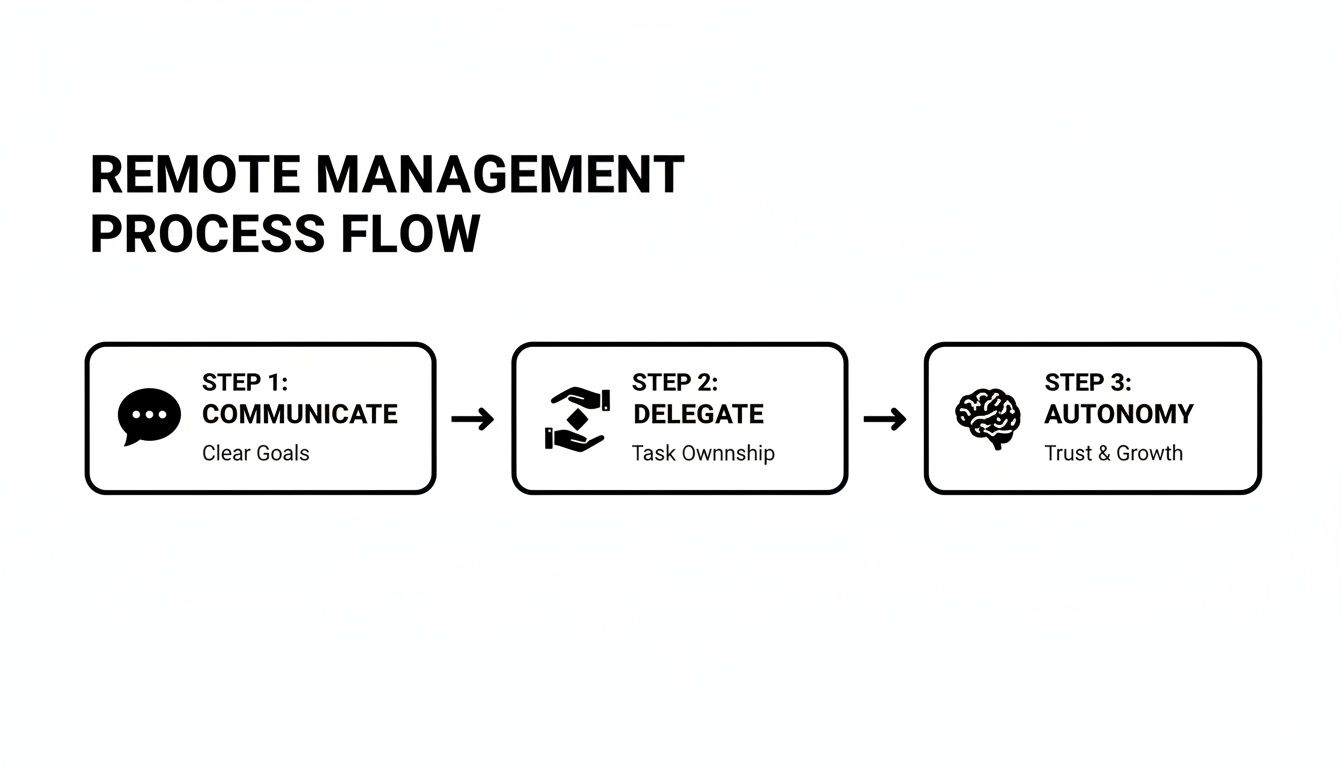
A structured process is the key to successfully integrating remote support. This 7-step playbook provides a reliable system for onboarding a virtual assistant from a trusted agency like Match My Assistant, moving them from initial tasks to autonomous ownership.
1. Task Selection: Choose Your First 3-5 Tasks
Start by identifying a few high-volume, low-complexity tasks. These are your quick wins. Good starter tasks are repeatable and easy to explain.
- Examples: Inbox filtering, calendar management, data entry from a spreadsheet into your Customer Relationship Management (CRM) system, or scheduling pre-written social media posts.
2. Task Briefing: Document the "What" and "Why"
Never delegate with just a verbal instruction. A written task brief is your single source of truth and dramatically reduces rework. It should be clear enough for someone to complete the task without asking you questions.
3. Access & Security: Grant Permissions Safely
Protect your business by granting access securely. Use a password manager like 1Password or LastPass to share credentials and always follow the principle of least privilege—grant only the minimum access required. Enable Two-Factor Authentication (2FA) on all critical accounts.
4. Onboarding Week: A Structured First 30 Days
A successful partnership starts with a great first month.
- Week 1: Foundations. Focus on tool setup (Slack, project management tool) and walk through the first 1–2 task briefs. Hold a 30-minute kickoff call and 15-minute daily check-ins this week to answer questions quickly.
- Week 2: Cadence. Shift to your regular communication rhythm (e.g., daily async updates, one weekly sync call). Assign the next batch of tasks and provide specific feedback on the first week’s work.
- First 30 Days: Autonomy. By the end of the month, your assistant should be handling their core tasks with minimal oversight. Begin collaborating on creating Standard Operating Procedures (SOPs) for their recurring responsibilities.
5. Cadence & Communication: Set the Rhythm
Define your communication rules to avoid constant interruptions or radio silence. A hybrid approach works best for outsourced admin support.
- Daily (Async): A brief end-of-day summary in a dedicated Slack channel covering tasks completed, roadblocks, and questions.
- Weekly (Sync): A 15-minute video call to review the past week, set priorities for the next, and discuss process improvements.
6. QA & Feedback: Build the Improvement Loop
Provide feedback in real-time. If a task is done well, say so specifically. If there's an error, treat it as a system flaw, not a personal failure. Ask, "How can we update the SOP to prevent this?" to improve the process and build trust.
7. Scaling the Relationship: From Tasks to Ownership
Once your VA masters the initial tasks, start delegating outcomes, not just individual to-dos. Instead of "Schedule these 10 social media posts," shift to "Manage our weekly content scheduling process." This empowers them to take ownership, making them a true operational partner and freeing you up for high-value work.
Delegation Assets (Templates + Scripts)
Effective delegation relies on clear, repeatable documentation. These templates will help you get work off your plate consistently and correctly. Match My Assistant helps clients implement these systems, backed by our satisfaction guarantee.

Task Brief Template
- Goal: (One-sentence summary of the objective)
- Definition of Done: (Describe the perfect, completed outcome. Example: "All 50 new contacts are imported into the CRM with correct tags.")
- Inputs/Links: (Direct links to all necessary files, docs, or web pages)
- Tools: (List all software needed, e.g., Google Sheets, Salesforce, Slack)
- Constraints: (What not to do. Example: "Do not contact clients directly; only update their records.")
- Examples: (Link to a past example of this task done correctly)
- Deadline: (Due date and time, including timezone)
- Escalation Rules: (Who to contact if stuck and preferred communication method)
SOP / Checklist Template (Simple)
- Task Name: Weekly Social Media Scheduling
- Objective: Schedule all approved content for the upcoming week in Buffer.
-
- Log into Buffer using credentials from the password manager.
-
- Navigate to the "Approved Content" folder in Google Drive.
-
- Open the content calendar spreadsheet.
-
- For each day, copy the post text into a new Buffer draft.
-
- Upload the corresponding image/video from the assets folder.
-
- Select the correct social media profiles.
-
- Schedule the post for the date and time listed in the calendar.
-
- Review the Buffer queue to ensure it matches the calendar.
-
- Mark the task as "Complete" in Asana.
-
- Notify [Your Name] in the #marketing Slack channel with a link to the queue.
Communication Cadence Template
- Daily Async Check-in (in Slack/Teams):
- Completed Yesterday:
- Top 3 Priorities Today:
- Blockers:
- Questions:
- Weekly Sync Agenda (15-Minute Video Call):
- Review last week's KPIs.
- Confirm this week's priorities.
- Discuss any process improvements.
- Open floor for questions.
"What to Delegate" Task List
- Filter inbox, archive spam, and flag priority emails
- Manage and schedule calendar appointments
- Book travel, hotels, and restaurant reservations
- Perform data entry into CRM or spreadsheets
- Clean and organize contact lists
- Transcribe meeting notes or audio recordings
- Create and format presentations from outlines
- Prepare and send routine client invoices
- Process expense reports
- Schedule social media posts from approved content
- Create simple graphics using Canva templates
- Perform basic keyword research for blog posts
- Format and publish blog posts in a CMS
- Generate weekly analytics reports from a dashboard
- Research prospective clients or leads
- Update sales pipeline information in the CRM
- Order office supplies or client gifts
- Manage personal appointments and reminders
Measurement & ROI
You can't improve what you don't measure. A lightweight system for tracking performance ensures your investment in a virtual assistant is delivering a clear return.
Suggested KPIs
Focus on a few Key Performance Indicators (KPIs) that directly reflect efficiency and time savings.
- Hours Saved/Week: The most direct measure of your ROI.
- Task Turnaround Time: Time from assignment to completion.
- % Tasks Done Without Rework: A high percentage indicates clear instructions and a capable assistant.
- Backlog Size: Is your administrative to-do list shrinking?
- Response-Time Expectations: Are communications handled within agreed-upon timeframes?
- "Time-to-Independence": How long until your VA can execute a recurring task with zero oversight?
A Simple ROI Framing
Use this simple formula to quantify the financial benefit:
(Hours Saved per Week × Your Hourly Value) – VA Cost = Net Value Gained
For a [Marketing] agency founder in [Austin] whose time is worth $200/hour, saving 10 hours a week creates $2,000 in value. Subtract the cost of the virtual assistant services, and the net gain is clear.
30-Day Scorecard Checklist
Use this checklist after the first month to evaluate progress:
- Communication is happening consistently as planned.
- Core tasks are completed accurately and on time.
- The VA is comfortable using primary tools ([Tool], [Tool]).
- My administrative workload has noticeably decreased.
- The VA asks clarifying questions when needed.
- Feedback is received and implemented effectively.
FAQs
Here are concise, factual answers to the questions we hear most often from founders and ops managers.
1. What tasks should I delegate first?
Start with high-volume, repeatable tasks like inbox management, calendar scheduling, and data entry. These provide quick wins and help build a foundation of trust.
2. How do I give access securely?
Use a password manager like 1Password to share credentials without revealing them. Always use the principle of least privilege, enable 2FA, and create separate user accounts in your tools whenever possible. At Match My Assistant, all assistants sign a Non-Disclosure Agreement (NDA).
3. What’s the difference between a virtual assistant and an executive assistant?
A Virtual Assistant (VA) is typically a generalist handling a broad range of remote administrative or technical tasks. A remote Executive Assistant (EA) provides more specialized, high-level support to a single leader, focusing on strategic calendar management, meeting preparation, and gatekeeping.
4. Dedicated VA vs pooled team—what’s better?
A dedicated VA is better for building a long-term, consistent relationship. They learn your preferences and can anticipate your needs. A pooled team may work for one-off tasks but lacks the context for ongoing, integrated support.
5. How does onboarding work and how long does it take?
A typical onboarding takes 1–2 weeks for tool setup and initial task handoffs. The first 30 days are crucial for establishing a communication rhythm. Our managed service guides you through this entire process, which you can learn about in how our matching process works.
6. What happens if my assistant is unavailable?
This is a key benefit of a virtual assistant agency. If your dedicated assistant is on vacation or sick, we provide trained backup support to ensure there is no disruption to your workflow. You don't get this guarantee with a random freelancer.
7. Is a VA better than hiring in-house for my situation?
A VA is ideal when you need flexible, expert support without the overhead of hiring a full-time employee (payroll, benefits, HR). Hiring in-house makes sense when you need a full-time, in-person presence and have the infrastructure to support it.
Ready to get critical work off your plate without the churn of hiring? Match My Assistant provides vetted, US-based virtual assistants and a proven process for success. Talk to our team today to get matched with the right support for your business, with flexible options to fit your needs.