

If you're tired of projects moving slowly and key details falling through the cracks, it's time for project manager outsourcing. Partnering with a managed virtual assistant agency is the fastest way to get your time back, reduce context switching, and ensure work gets done without you chasing every detail. If you’re a founder or operator drowning in coordination tasks while trying to grow your business, this guide is for you.

Key Takeaways
- Start Small: Begin by delegating 3-5 repeatable project coordination tasks like status reporting or deadline tracking to build momentum quickly.
- Systemize Everything: Use templates for task briefs and Standard Operating Procedures (SOPs) to ensure clarity and consistency from day one.
- Prioritize Security: Use a password manager and role-based access to share tool access securely without compromising your data.
- Measure What Matters: Track Key Performance Indicators (KPIs) like hours saved and time-to-independence to measure the real return on investment (ROI).
- Choose Consistency: A virtual assistant agency provides vetted talent, backup support, and a satisfaction guarantee, reducing the risk and management overhead of hiring freelancers.
Quick Answers
What kind of tasks should I outsource first?
Start with repetitive coordination tasks like updating project plans in [Asana](https://asana.com/), sending follow-up emails, preparing status reports, and organizing documents.
Is an agency better than hiring a freelancer?
For busy professionals, an agency is often better because it handles vetting, provides backup support for consistency, and offers a satisfaction guarantee, saving you significant time and risk.
How long does it take to get started?
With a managed service like Match My Assistant, you can be matched with a vetted assistant, onboarded, and delegating your first tasks within a week.
Summary (TL;DR)
For any busy leader, the secret to successful project manager outsourcing isn't finding a unicorn—it's implementing a clear, repeatable system. This is your cheat sheet for getting project tasks off your plate so you can get back to focusing on the big picture.
- What to do: Start by selecting 3–5 high-impact, repeatable project tasks. Don't try to outsource a complex, strategic initiative on day one.
- What to delegate: Focus on coordination and administrative work: updating project timelines, chasing vendors for deliverables, compiling status reports, and organizing project documentation.
- What to expect: A guided onboarding process is critical. A reliable agency like Match My Assistant ensures a smooth handoff, with the goal of your assistant managing their core tasks independently within 30 days.
- Common pitfalls: The two biggest failure points are vague instructions and a lack of communication. A clear "Definition of Done" for each task and a regular check-in cadence are non-negotiable.
- Quick timeline: Expect a 1-week ramp-up for tool setup and initial task handoff. By the end of the first month, your assistant should be handling their primary responsibilities with minimal oversight.
To learn more about how these partnerships are structured, our guide on outsourced virtual assistants offers a deeper look.
Step-by-step playbook
Jumping into outsourcing without a plan is a recipe for failure. A structured approach removes confusion and builds trust from day one. Follow these seven steps to create a successful, long-term partnership with your outsourced project manager.
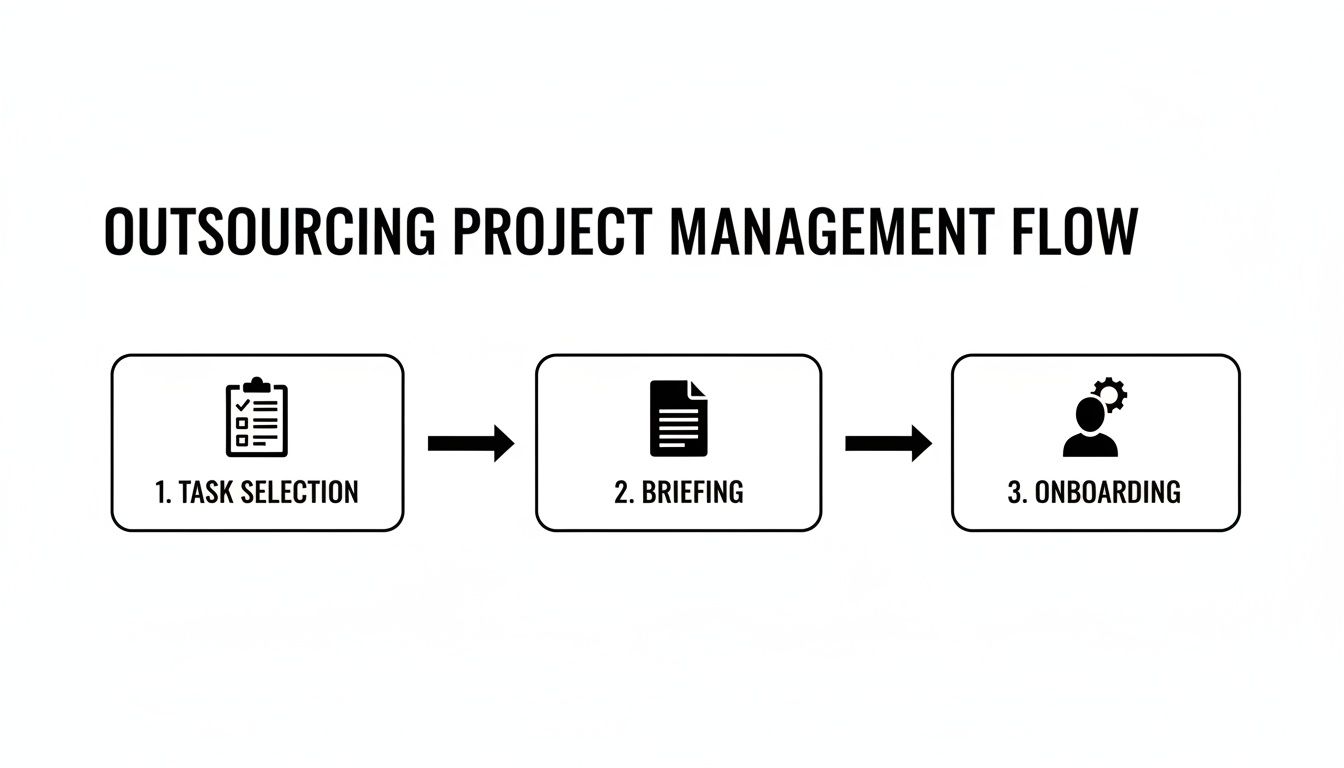
- Task Selection: Don't start with your most critical project. Instead, identify 3-5 repeatable coordination tasks that are currently eating up your time. Good candidates include compiling status reports, following up on deadlines, or organizing project files.
- Task Briefing: Vague instructions lead to wasted time. For every task, create a simple brief outlining the Goal, Definition of Done, Inputs, and Tools required. This clarity empowers your assistant to work independently.
- Access/Security: Never share your personal login credentials. Use a password manager like LastPass or 1Password to grant access securely. Always follow the principle of least privilege, giving access only to what is necessary for the task.
- Onboarding Week: A phased onboarding process sets the foundation for success. Don’t just throw your new assistant in the deep end.
- Week 1: Focus on tool setup, introductions, and assigning one simple, well-documented task. Use 15-minute daily check-ins to answer questions quickly.
- Week 2: Introduce 1-2 additional tasks. Shift from daily check-ins to a more structured weekly review meeting.
- First 30 Days: The goal is independence. By the end of the first month, your assistant should be proactively managing their core responsibilities with minimal oversight from you.
- Cadence/Communication: Establish a predictable communication rhythm. A combination of a quick asynchronous daily update (e.g., via Slack) and a 15-minute weekly sync call works well to keep everyone aligned without constant interruptions.
- QA/Feedback: Create a simple feedback loop. After the first completion of a task, review it against the "Definition of Done." Provide specific, constructive feedback to help them learn your standards quickly. This iterative process is key to building quality.
- Scaling the Relationship: Once your assistant has mastered their initial tasks, start delegating more complex responsibilities or entire workflows. This is how you transition from a task-doer to a true operational partner who drives projects forward. For more tips on setting clear expectations, check out our guide on how to hire a virtual assistant.
Delegation assets (templates + scripts)
Effective delegation relies on clear, repeatable systems, not guesswork. Use these copy-and-paste templates to bring structure and clarity to your project manager outsourcing from day one.
Task Brief Template
Use this for every new task you delegate to eliminate ambiguity.
- Goal: What is the one-sentence purpose of this task? (e.g., "Provide all stakeholders with a clear weekly project progress update.")
- Definition of Done: How will we know this is complete and successful? (e.g., "The weekly status report is generated from Asana, formatted correctly, and sent to the client distribution list.")
- Inputs/Links: What is needed to start? (e.g., Link to Asana board, Google Docs report template, client email list.)
- Tools: What software is required? (e.g., Asana, Google Docs, Gmail.)
- Constraints: Are there any budget limits, style guides, or things to avoid? (e.g., "Do not include internal team comments in the client-facing version.")
- Examples: Link to a past report that was completed perfectly.
- Deadline: Be specific. (e.g., "Every Friday by 3:00 PM EST.")
- Escalation rules: Who should be contacted if they get stuck?
SOP / Checklist Template
For any recurring task, have your assistant document the process as they learn it.
- Step 1: Log into [Tool Name].
- Step 2: Navigate to the [Dashboard/Reporting Section].
- Step 3: Set date range from [Start Date] to [End Date] and export the data.
- Step 4: Open the [Report Template Name] in Google Drive.
- Step 5: Copy and paste the exported data into the "Raw Data" tab.
- Step 6: Verify that the summary charts on the "Dashboard" tab have updated correctly.
- Step 7: Add 2-3 bullet points of key highlights in the "Summary" section.
- Step 8: Save the final report as a PDF with the naming convention: YYYY-MM-DD_[Client Name]_Report.
- Step 9: Draft the email to the client using the [Email Template Name].
- Step 10: Attach the PDF and send the email.
Communication Cadence Template
A predictable schedule reduces noise and keeps everyone aligned. For more on formalizing your working relationship, see our virtual assistant contract template.
- Daily Async Check-in (via Slack/Email):
- End-of-day summary: "Tasks completed today," "Plan for tomorrow," "Any roadblocks."
- Weekly 15-Minute Sync Agenda (via Zoom):
- Review of last week's accomplishments (2 mins).
- Top 3 priorities for this week (5 mins).
- Blockers and questions (5 mins).
- Confirm key deadlines (3 mins).
"What to delegate" task list
Not sure where to start? Pick 3-5 tasks from this list.
- Update project status reports
- Track project timelines and milestones in Trello or Asana
- Follow up with vendors on deadlines and invoices
- Schedule project-related meetings
- Prepare and distribute meeting agendas and materials
- Take and circulate meeting minutes and action items
- Organize project files in a shared drive (e.g., Google Drive)
- Monitor project budgets and track expenses
- Create and maintain project documentation and SOPs
- Onboard new team members to project tools and workflows
- Manage team member access to software like Google Workspace
- Triage incoming project requests via email or a form
- Conduct research for project planning (e.g., vendor options)
- Prepare presentation slides for stakeholder updates
- Update the project risk log with new information
- Manage and groom the project task backlog
- Create simple project workflow diagrams
- Compile data for performance dashboards
Measurement & ROI
Handing off project tasks isn't just about getting work done; it's about reclaiming your time to focus on growth. Here’s how to measure if your investment in a virtual project assistant is paying off.

Suggested KPIs
Focus on a few key performance indicators (KPIs) that measure efficiency and autonomy.
- Hours saved per week: The most direct measure of your return.
- Task turnaround time: How quickly routine tasks are completed from assignment to delivery.
- % tasks done without rework: A key indicator of quality and clarity of instructions.
- Backlog size: Is the list of pending project tasks shrinking?
- Time-to-independence: How long does it take for your assistant to manage their core tasks with minimal oversight?
A simple ROI framing
The goal is to understand the value of your reclaimed time. If delegating 10 hours of admin work allows you to spend 10 hours on sales or product development, the return is clear.
For a simple calculation:
(Hours Saved per Week × Your Estimated Hourly Value) – Weekly Assistant Cost = Weekly ROI
This reframes the cost as an investment in your own productivity and business growth.
30-Day Scorecard Checklist
Use this checklist after the first month to evaluate success.
- Have the hours I spend on project admin work decreased noticeably?
- Are core delegated tasks being completed on time and to the expected quality standard?
- Is our communication rhythm effective and efficient?
- Is my assistant providing proactive updates rather than waiting to be asked?
- Have we documented at least one recurring process into an SOP?
- Do I feel less stressed about project details and more focused on strategic work?
- Am I confident in my assistant's ability to handle their responsibilities independently?
FAQs
Here are concise, factual answers to the most common questions we hear from founders considering outsourcing project management.
What tasks should I delegate first?
Start with low-risk, high-volume administrative tasks. Good first tasks include compiling weekly status reports, following up with team members on deadlines, organizing project files, and preparing meeting agendas. These wins build trust and free up your time almost immediately.
How do I give access securely?
Never share your personal passwords. Use a secure password manager like LastPass or 1Password to share credentials. Additionally, use role-based access in your tools (e.g., Asana), enable Two-Factor Authentication (2FA), and create separate user accounts for your assistant whenever possible to maintain a clear audit trail.
What’s the difference between a virtual assistant and an executive assistant?
A remote executive assistant (EA) typically provides broad administrative support to a specific leader (managing calendars, inboxes, travel). A virtual project assistant is laser-focused on the execution of specific projects—tracking timelines, coordinating with stakeholders, and managing deliverables to ensure initiatives stay on track. One supports a person; the other supports a process.
Dedicated VA vs pooled team—what’s better?
For project management, a dedicated VA is almost always superior. A dedicated assistant learns your business, team, and preferences, allowing them to anticipate needs and manage tasks with context. A pooled team is better for simple, one-off tasks but lacks the consistency required for effective project coordination. See our virtual assistant services to learn why we focus on the dedicated model.
How does onboarding work and how long does it take?
A structured onboarding process should take about one week for initial setup and task handoff. With an agency like Match My Assistant, Week 1 is for tool access and delegating the first simple task. By the first 30 days, your assistant should be managing their core duties with minimal oversight. Learn more about how our matching process works.
What happens if my assistant is unavailable?
This is a key benefit of using a managed virtual assistant agency over a freelancer. If your dedicated assistant is sick or on vacation, a reputable agency provides backup support from another trained team member to ensure your critical project tasks continue without interruption.
Is a VA better than hiring in-house for my situation?
For most small businesses, founders, and operators, a virtual assistant is a faster, more flexible, and more cost-effective solution than a full-time hire. You avoid the lengthy recruitment process and the high overhead costs of salary, benefits, and payroll taxes, while still getting access to specialized support. Compare our plans and pricing to see the difference.
Ready to stop juggling project details and start focusing on growth? At Match My Assistant, we connect you with a vetted, dedicated project assistant ready to manage your workflows. Whether you need ongoing support or help with a specific project, we offer flexible options to fit your needs.
Talk to our team about getting matched today.